Misfit
A neighborhood clothing ecosystem designed around Gen Z shopping habits.
Overview
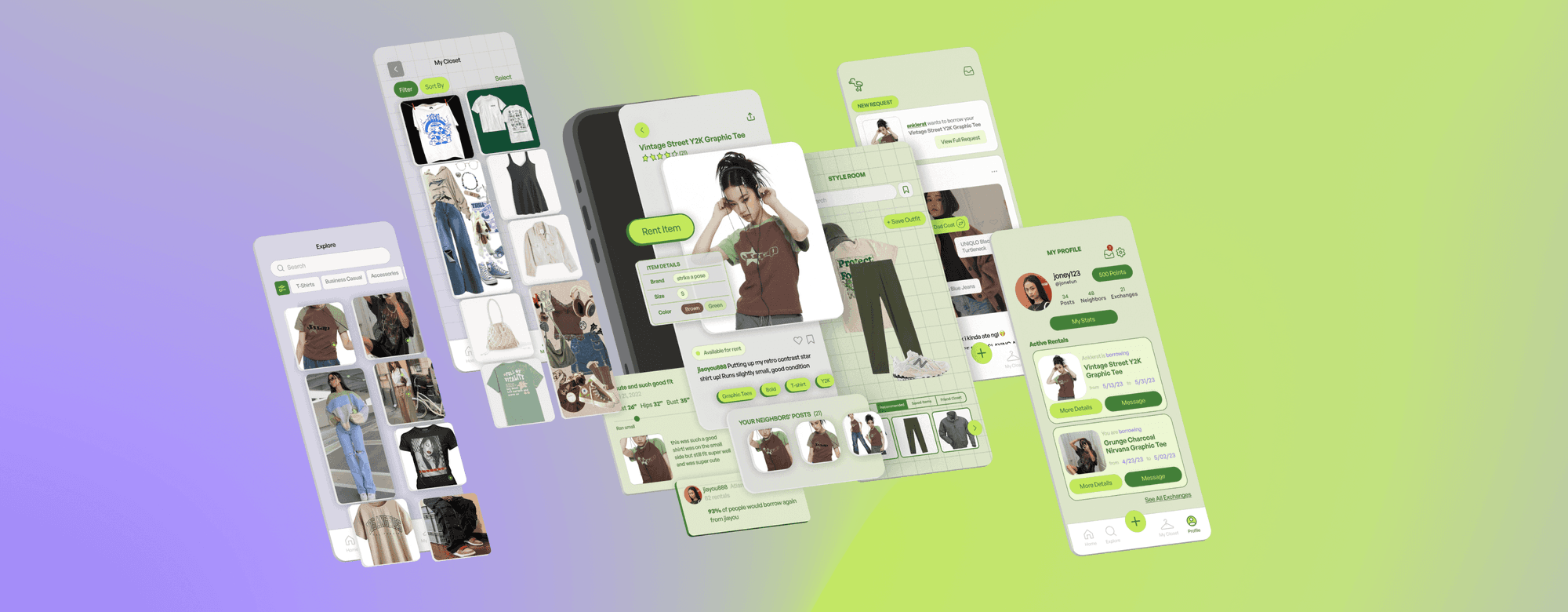
MISFIT is a social thrift platform that lets you borrow and lend clothes with people in your neighborhood.
Leveraging Gen Z's desire for community, the MISFIT ecosystem enables you to experiment and express yourself affordably and sustainably, no matter where you are in your style journey. Built with Jane Fan and Travis Ong.
The Problem
How might we help Gen Z experiment with fashion without financial and environmental burden?
According to a GlobalData survey with THREDUP, 72% of Gen Z find themselves influenced by social media and predatory fast fashion companies, which contribute to the 11,300,000 tons of textile waste produced in the US each year.
User Research
To ground the problem, we conducted 11 in-depth interviews and 2 surveys with 100+ responses, supporting our findings with journal articles. From that research, three insights shaped the product.
Insight 1
Young people don't have much disposable income, but they still want to develop their style and sense of self. Thus, they tend to turn to fast fashion stores and brands.
Insight 2
Young people are torn between caring about the environmental and ethical impact of fast fashion and fulfilling their desire to experiment and express themselves with their style.
Insight 3
Despite Gen Z's obsession with differentiating themselves from their peers, they still depend on and seek social validation from the very same peers.
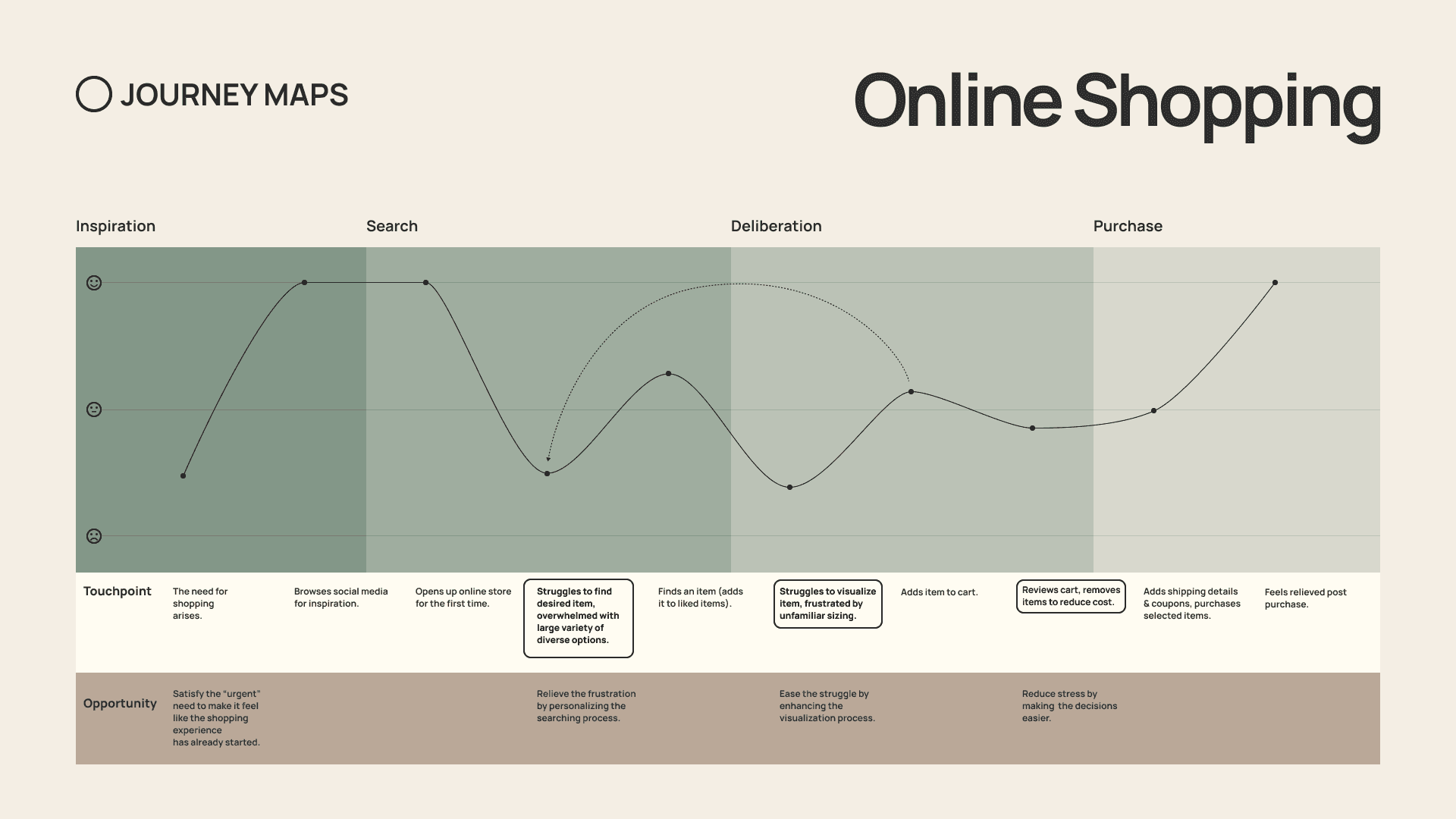
Journey Mapping
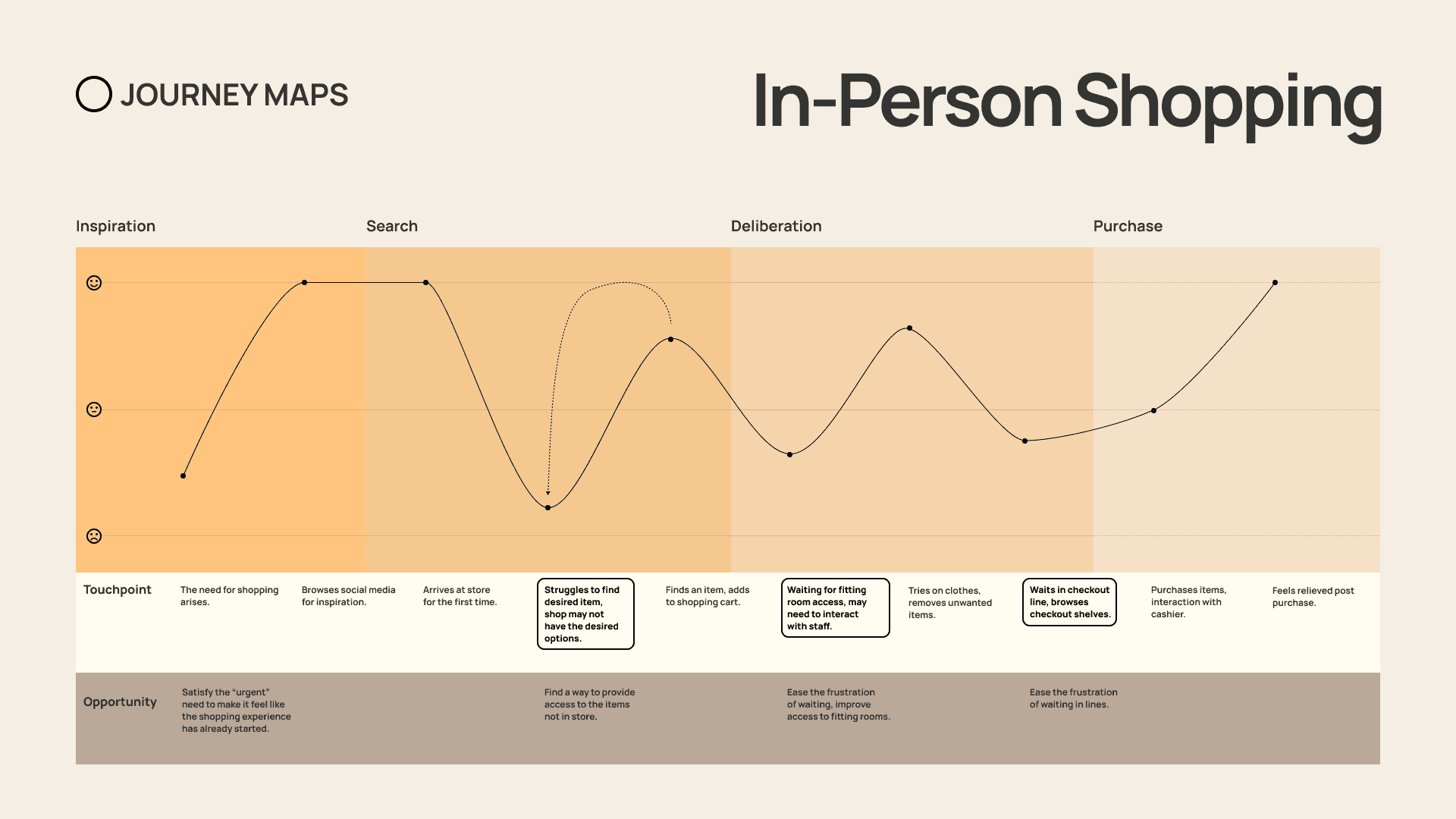
The in-person journey surfaced a different set of blockers: stores without the right options, fitting-room waits, and checkout fatigue. Together, the maps pointed toward a hybrid model that included social discovery online and physical exchange nearby.
User Personas
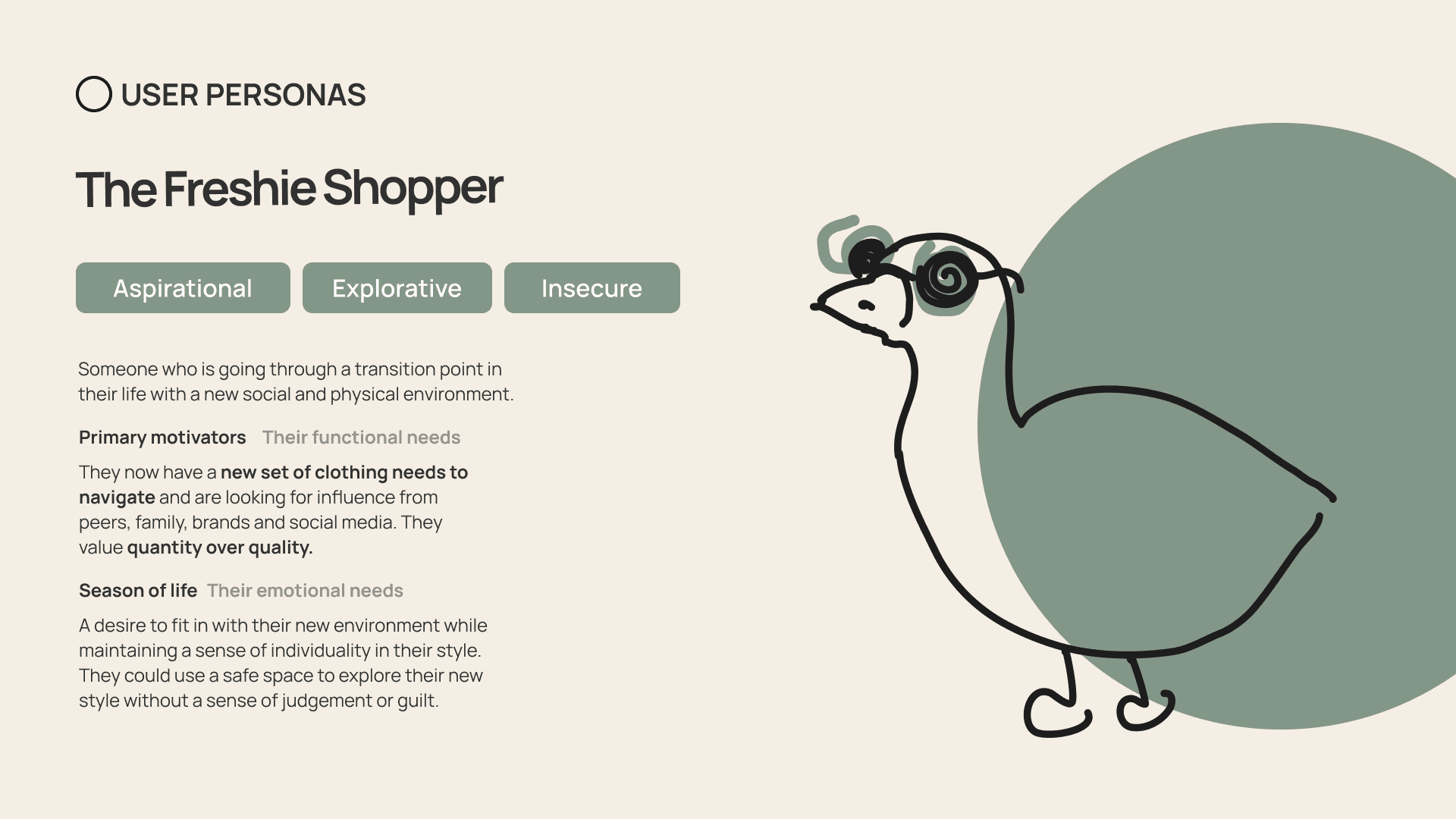
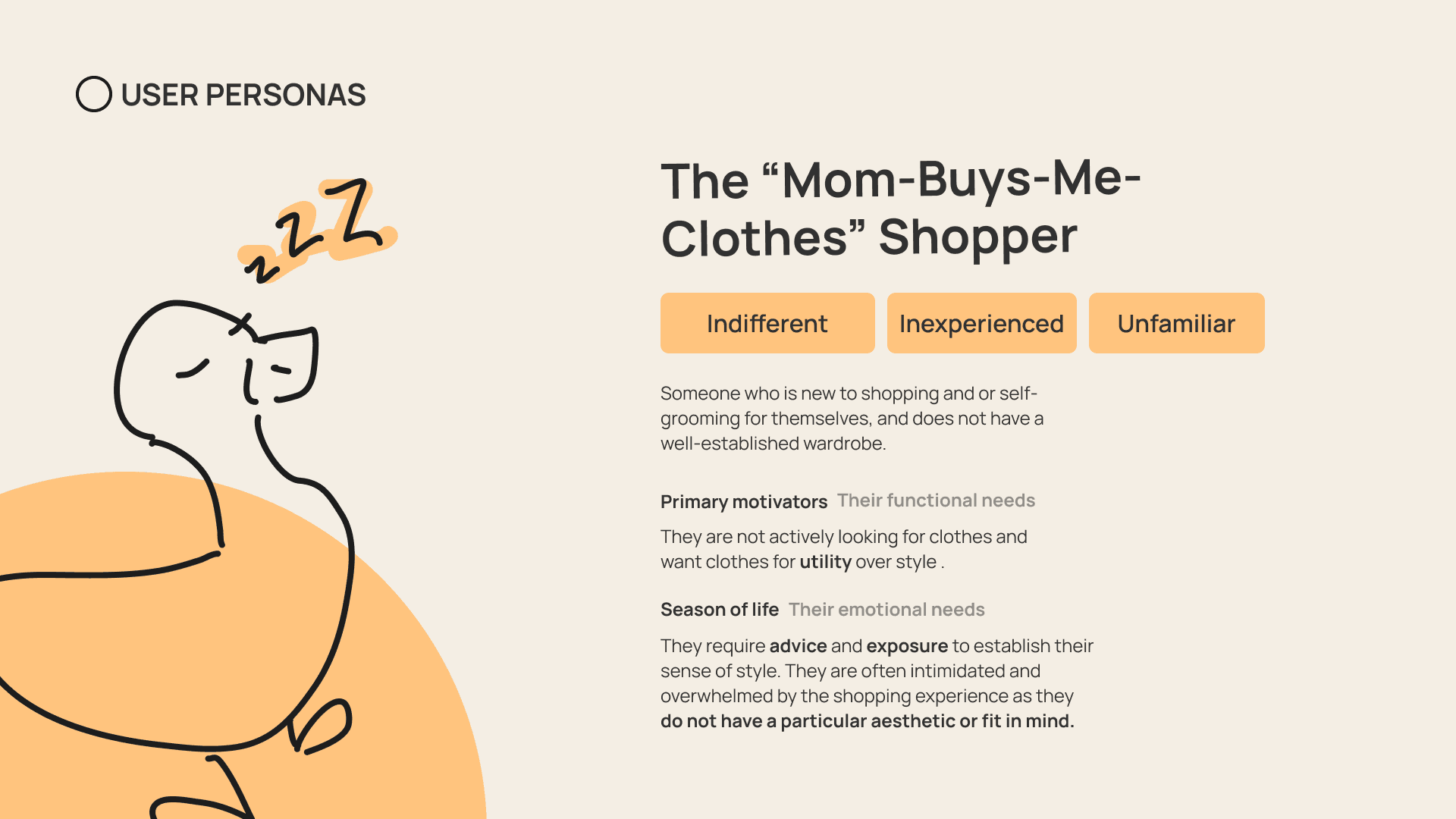
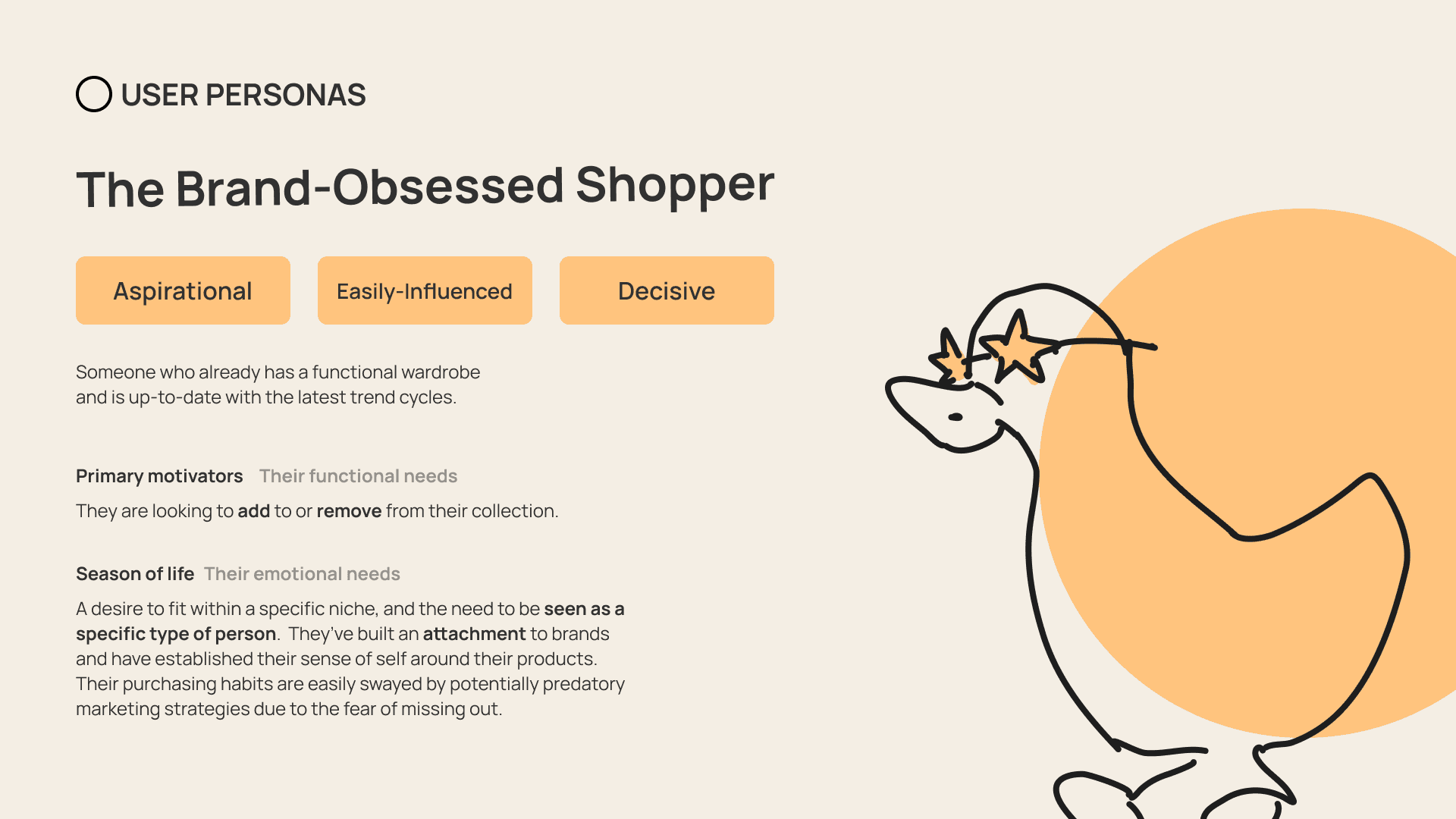
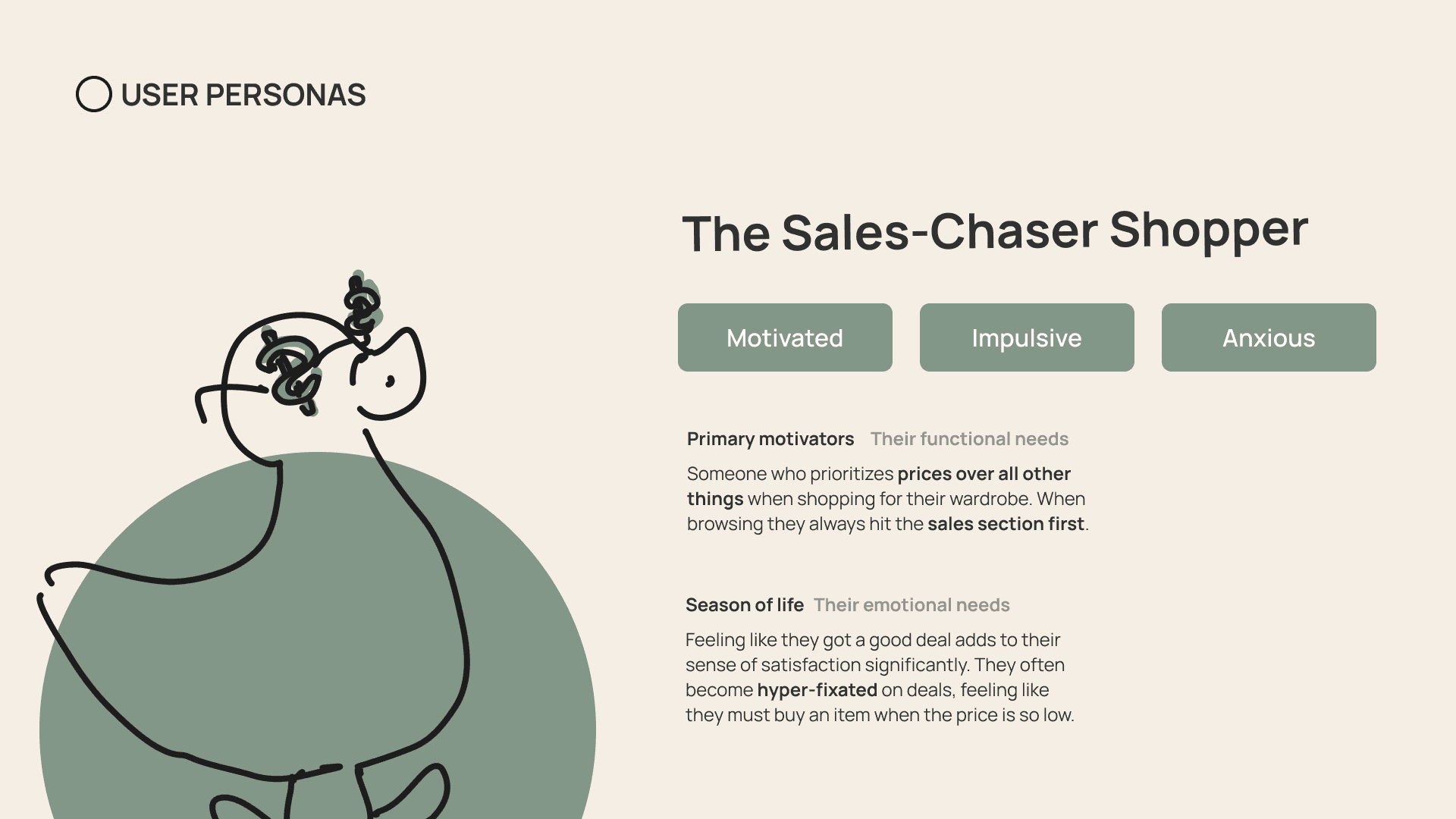
From our interviews and research, we extracted 4 key personas.
Design Goals
The research led to three goals that balance community, experimentation, and sustainability — the tension Gen Z already lives with.
Foster a community that can provide a safe space for interacting with others and experimenting.
Create an environment and community for young people that balances experimentation, affordability, and sustainability.
Empower Gen Z to make informed and satisfying choices with their clothes that promote re-wear over waste.
How It Works
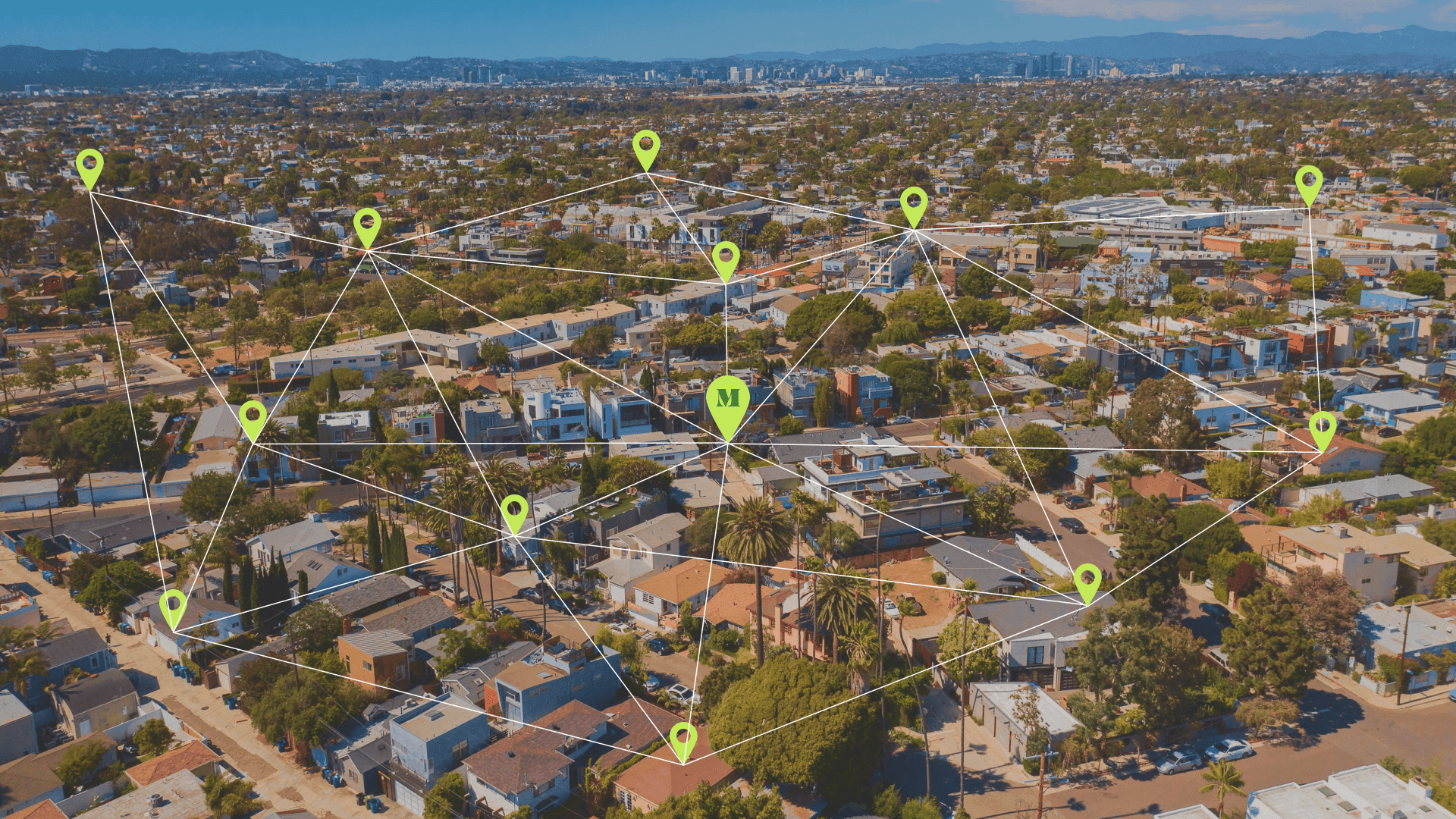
Everyone's closet, connected.
When two people agree to exchange a clothing item, the renter drops it off at a convenient pick-up location, where the borrower can come to claim it.
This way, we create a network of connections that grows with each clothing exchange — an ecosystem in which everyone's closet is connected.
Features
From digital closet to neighborhood exchange
MISFIT pairs a personal wardrobe inventory with social discovery and contactless pickup, so logging, styling, borrowing, and returning feel like one continuous loop.
Log your clothes
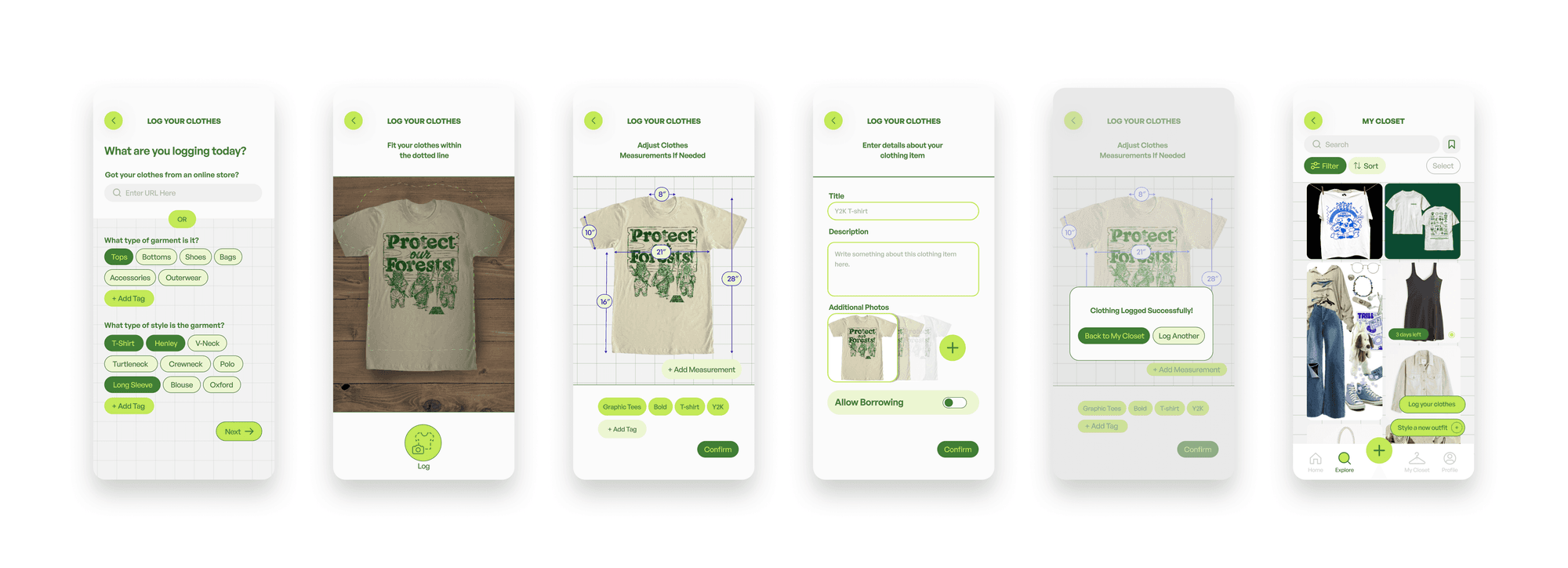
You can log your clothing items to build a digital inventory of everything you own, right at your fingertips. Capture a photo, adjust measurements, add details, and optionally open the piece for borrowing.
Plan and style your outfits
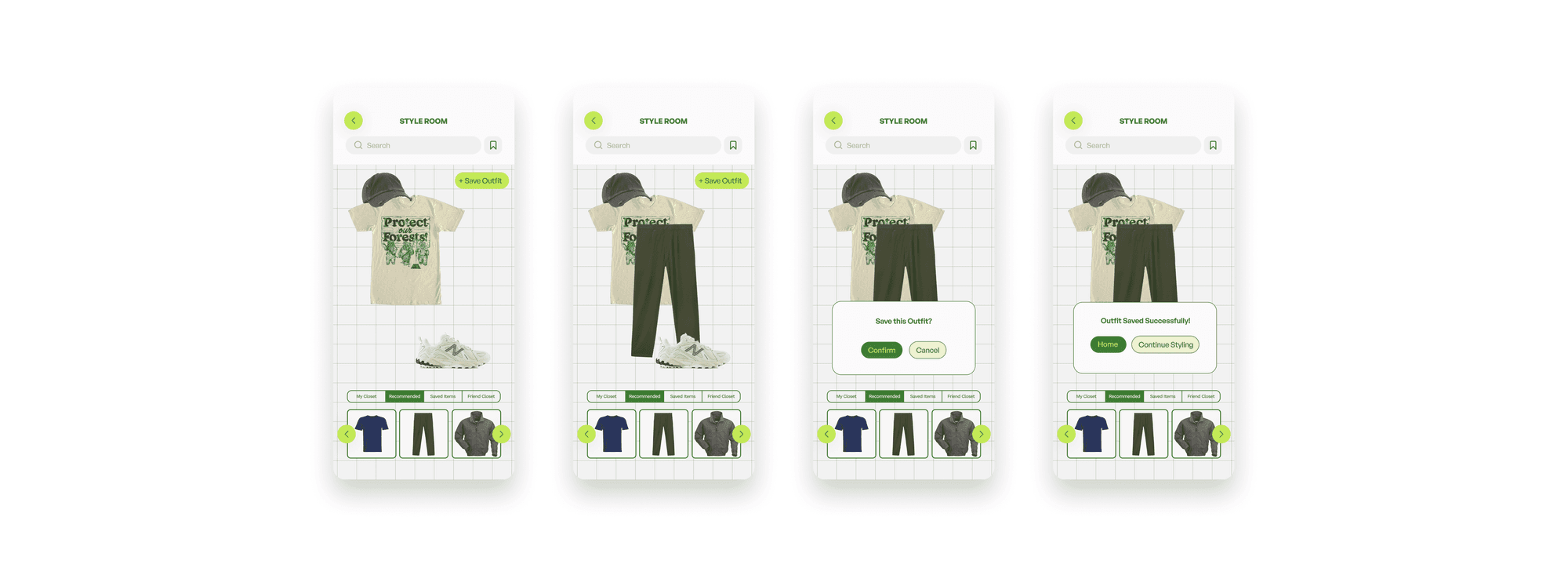
With the items in your digital closet, you can plan and style outfits in the Style Room without rummaging through your entire closet for a single look. Pull from your closet, recommendations, saved items, or a friend group.
Borrow & rent clothes
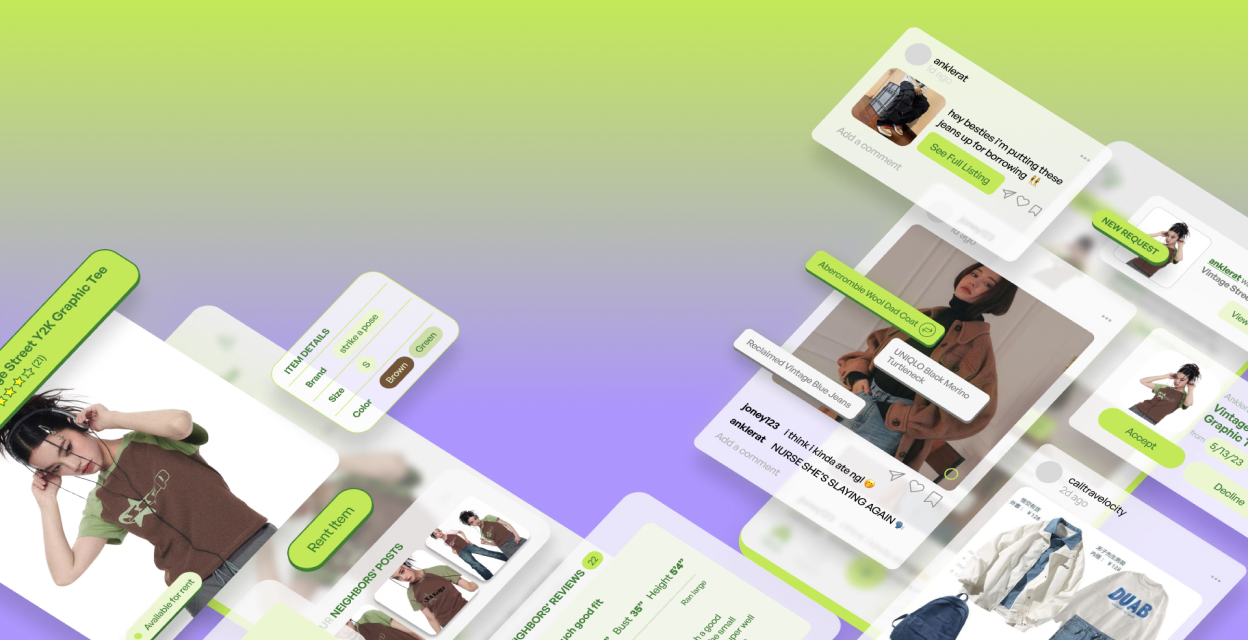
Discover rental listings and outfits your neighbors post on a personalized explore page. Find something you like, send a borrow request with dates, and keep the conversation going in chat once it's approved.
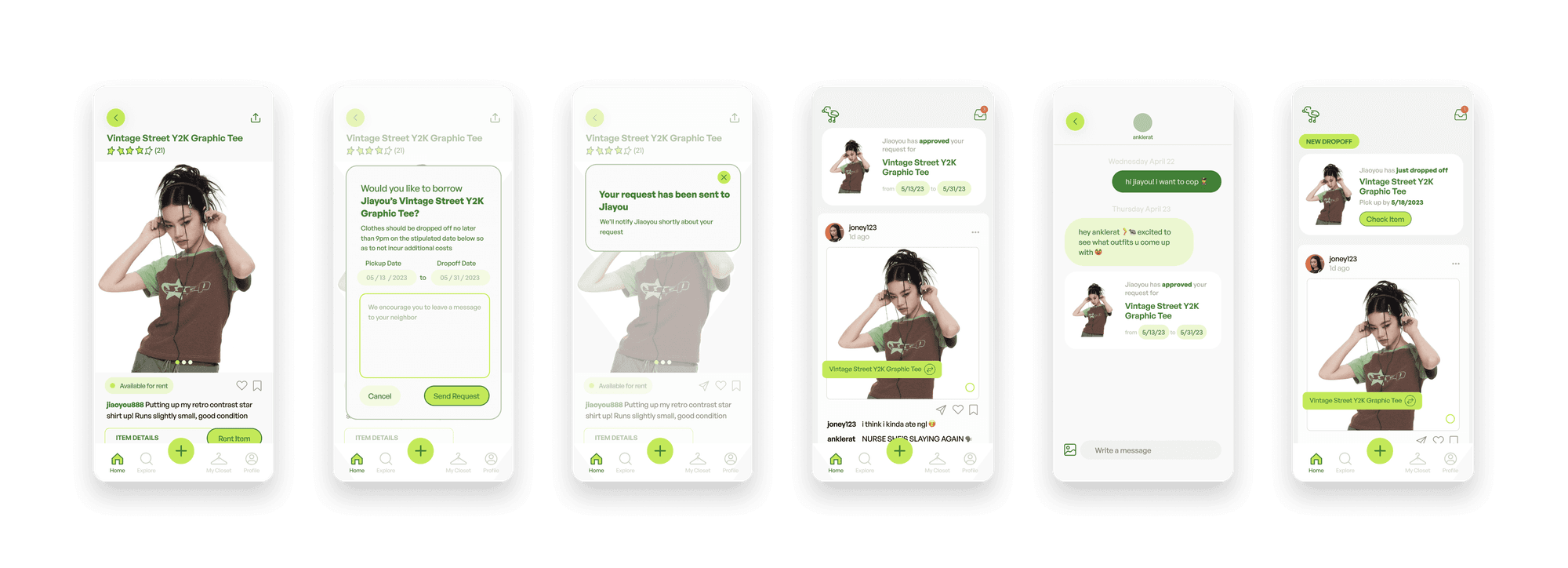
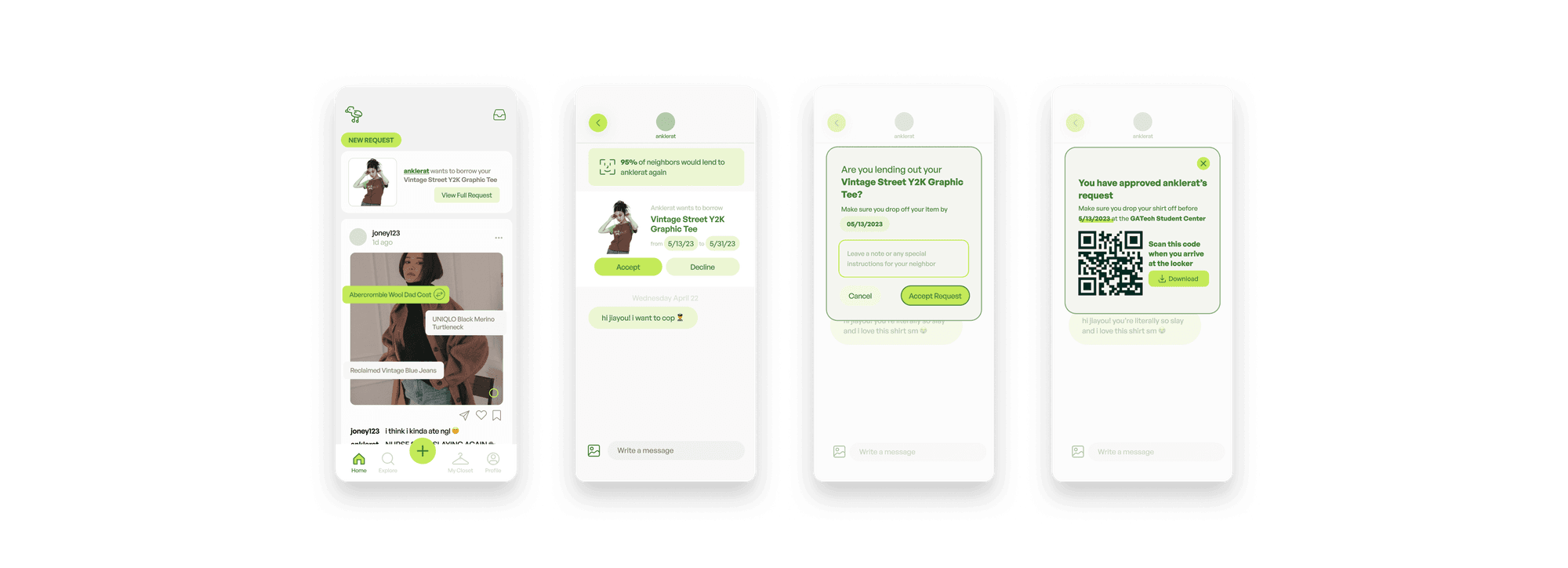
Accepting a request
Lenders see trust signals from the neighborhood, accept or decline in context, and get a QR code for contactless drop-off at a local MISFIT location.
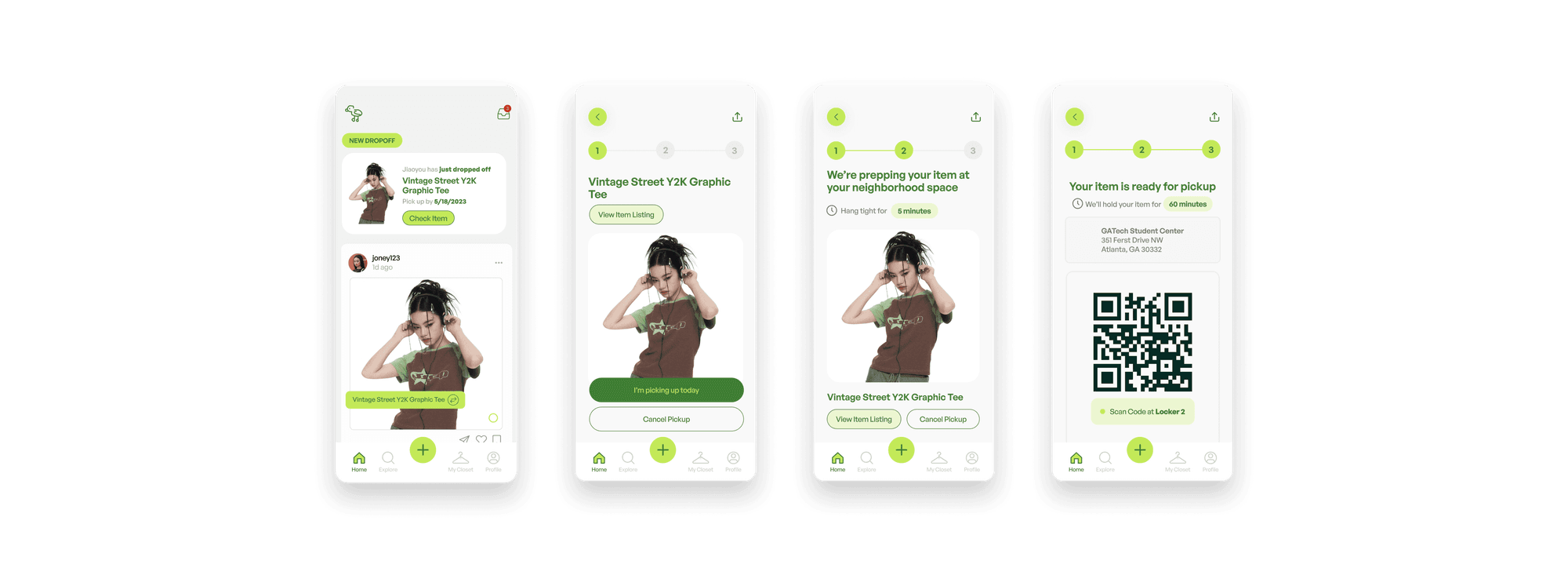
Pick up an item
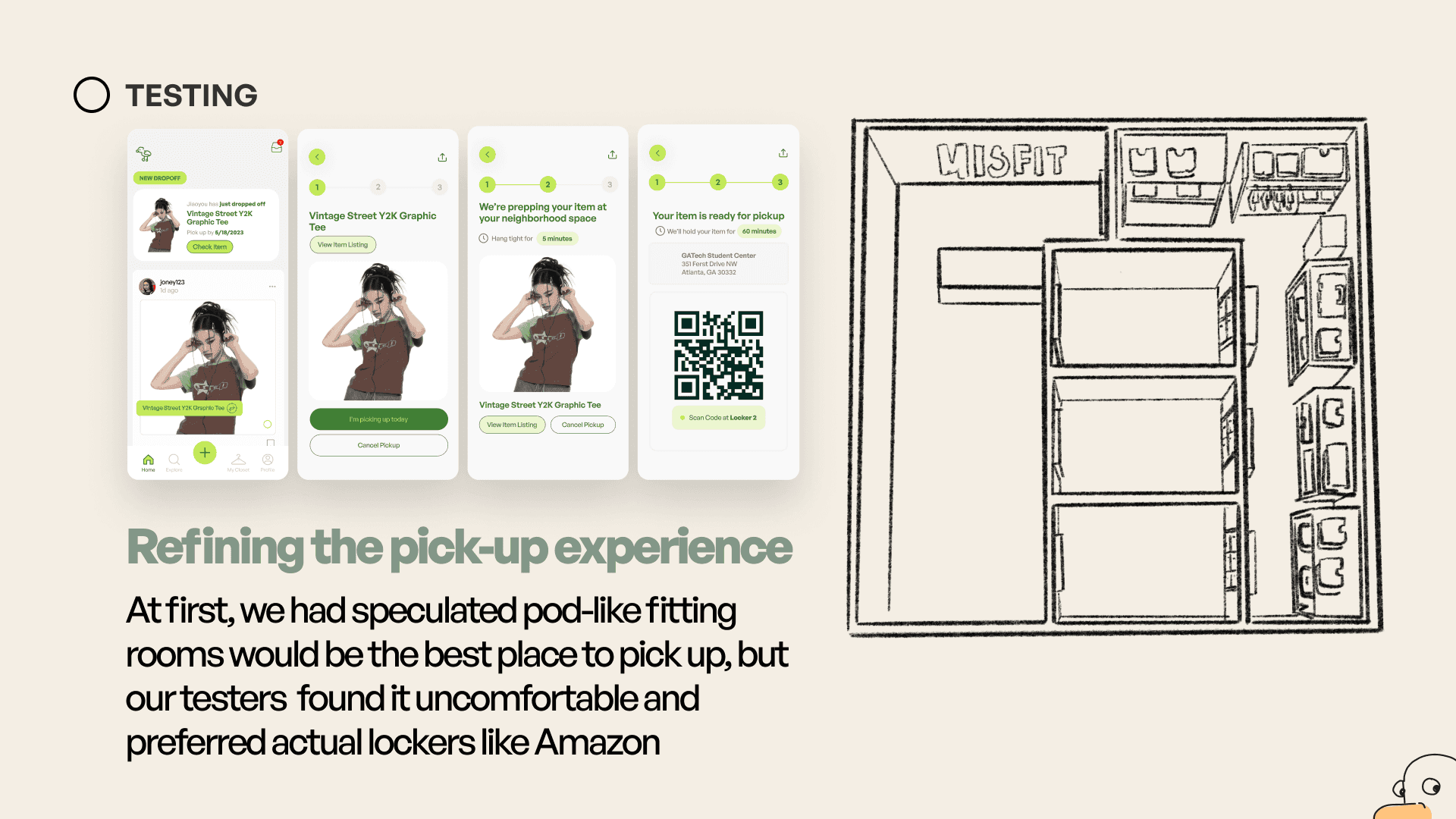
Pick up and drop off items at a convenient MISFIT location. The process is efficient and contactless — confirm pickup, wait while the item is prepped, then scan a QR code at your locker.
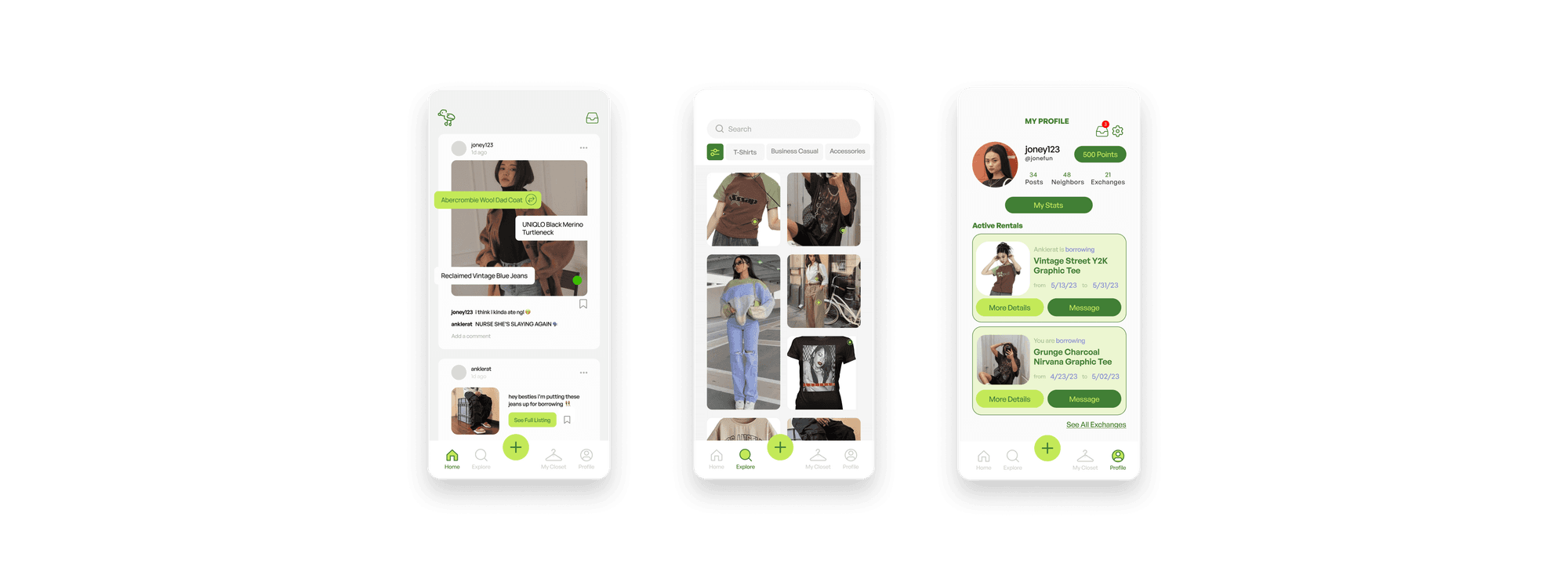
Dashboard & explore
Track points, personal stats, and active rentals on your profile. Earn rewards through logging clothes, successful rentals, and reviews. See friends' fit pics, new listings, and activity on your dashboard.
The Physical Space
A neighborhood pick-up point for contactless exchange
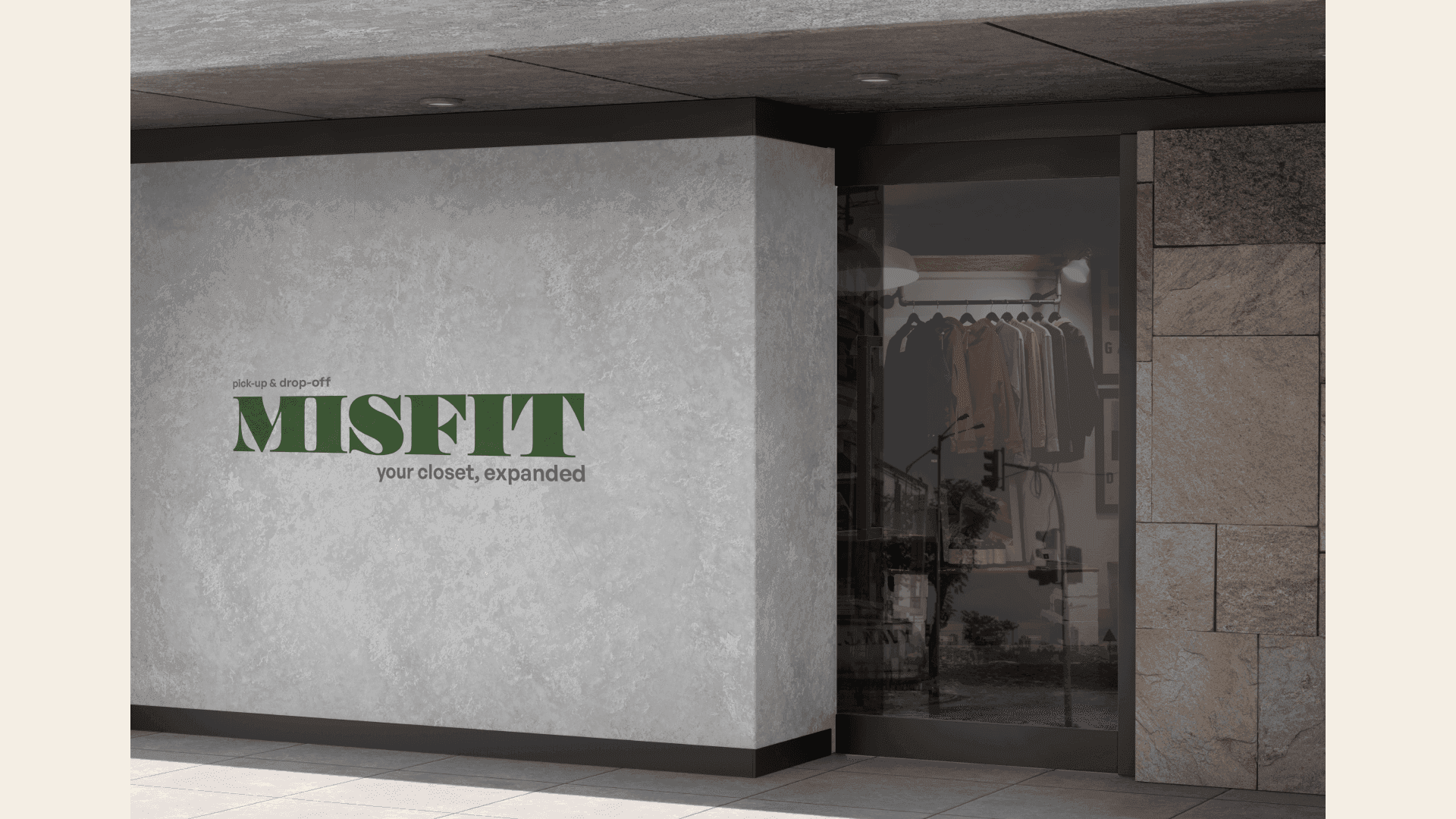
The MISFIT space anchors the digital network in the real world with a place to drop off or claim an item without coordinating a handoff.
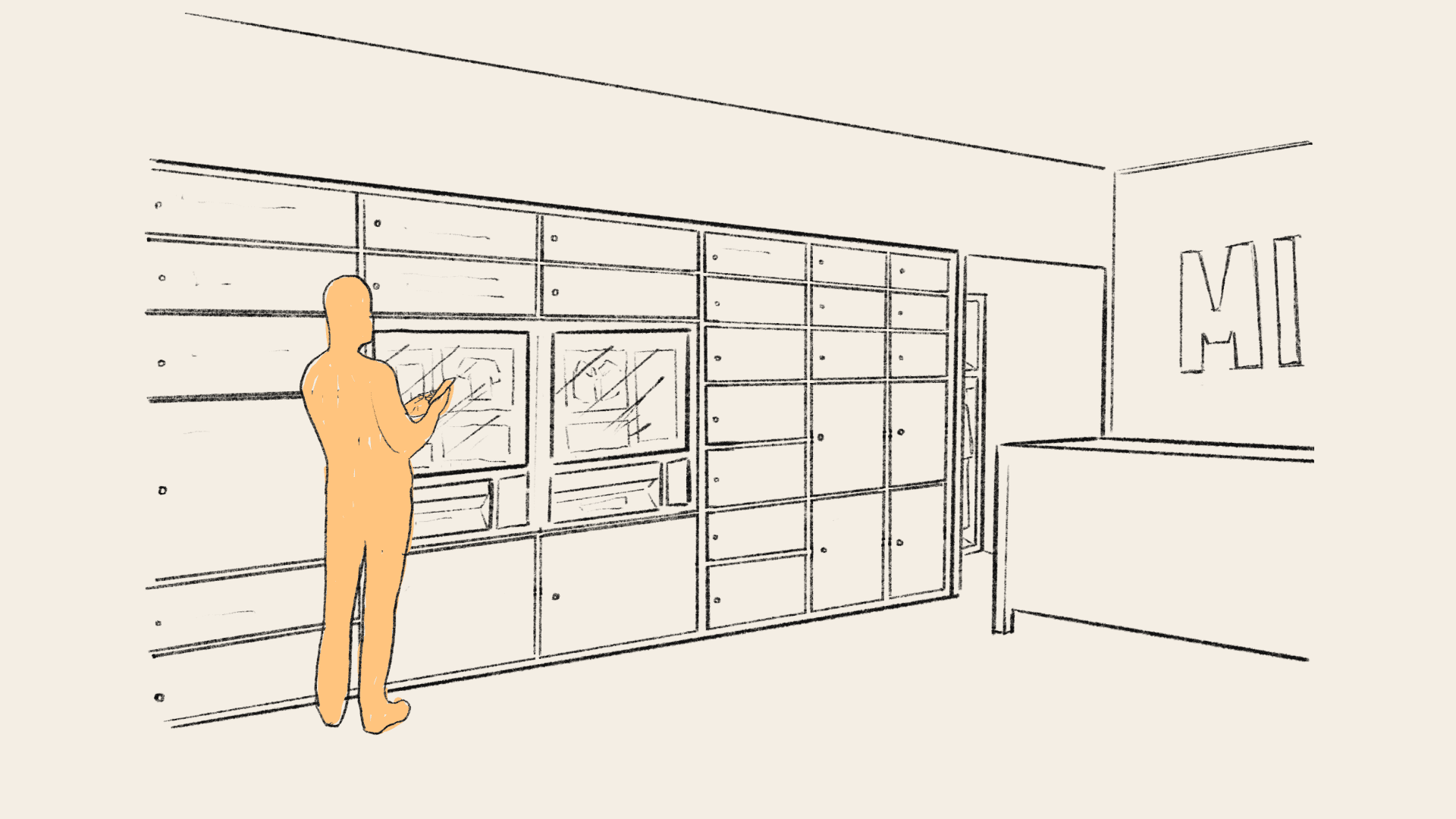
Designing the physical touchpoint
Early concepts explored interior layout, locker density, and how someone uses their phone at the wall so the pick-up moment feels as considered as the app.
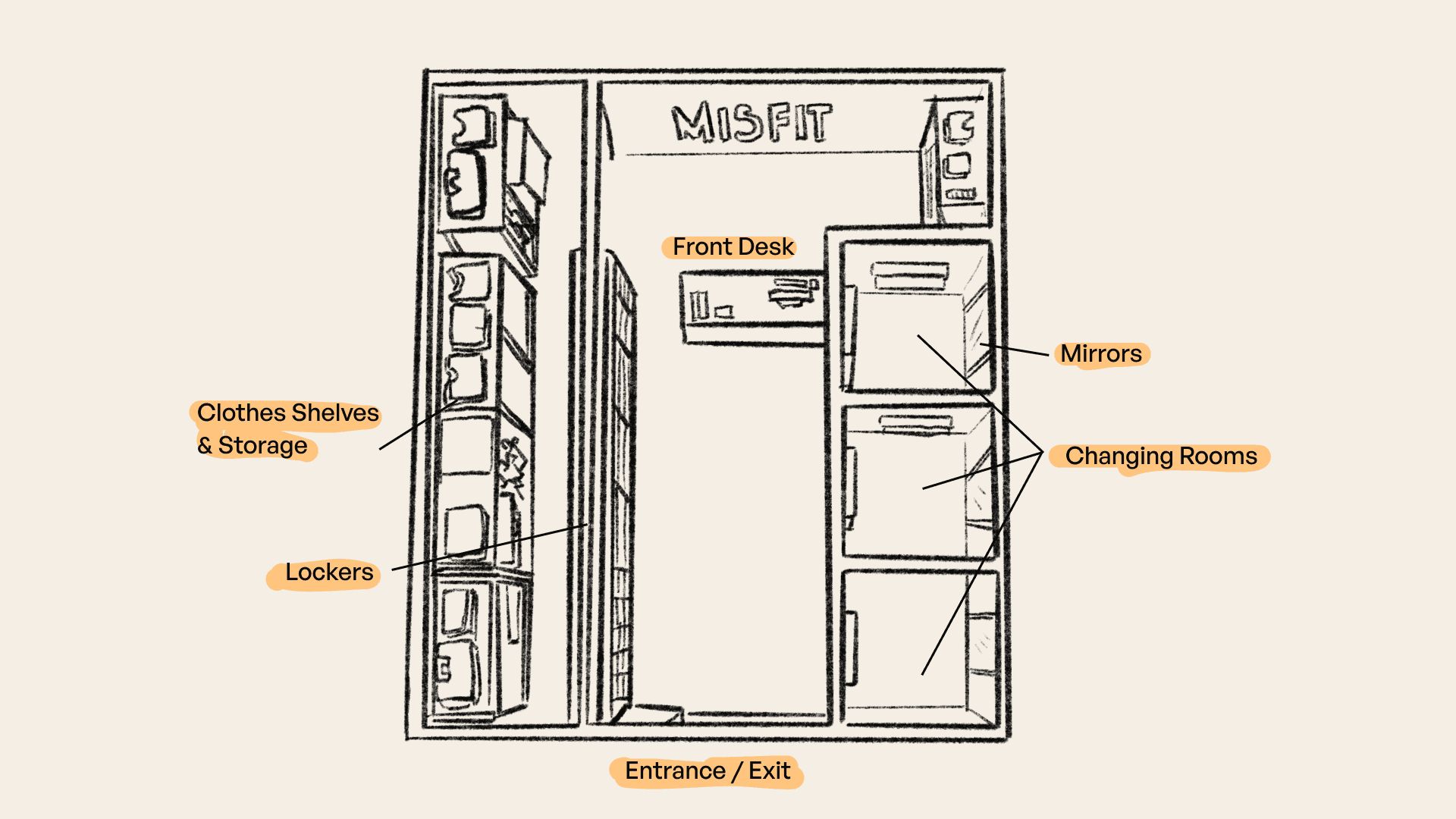
The space includes lockers, a front desk, and changing rooms. It's a neighborhood hub for drop-off and claim, not a traditional retail floor.
User Testing
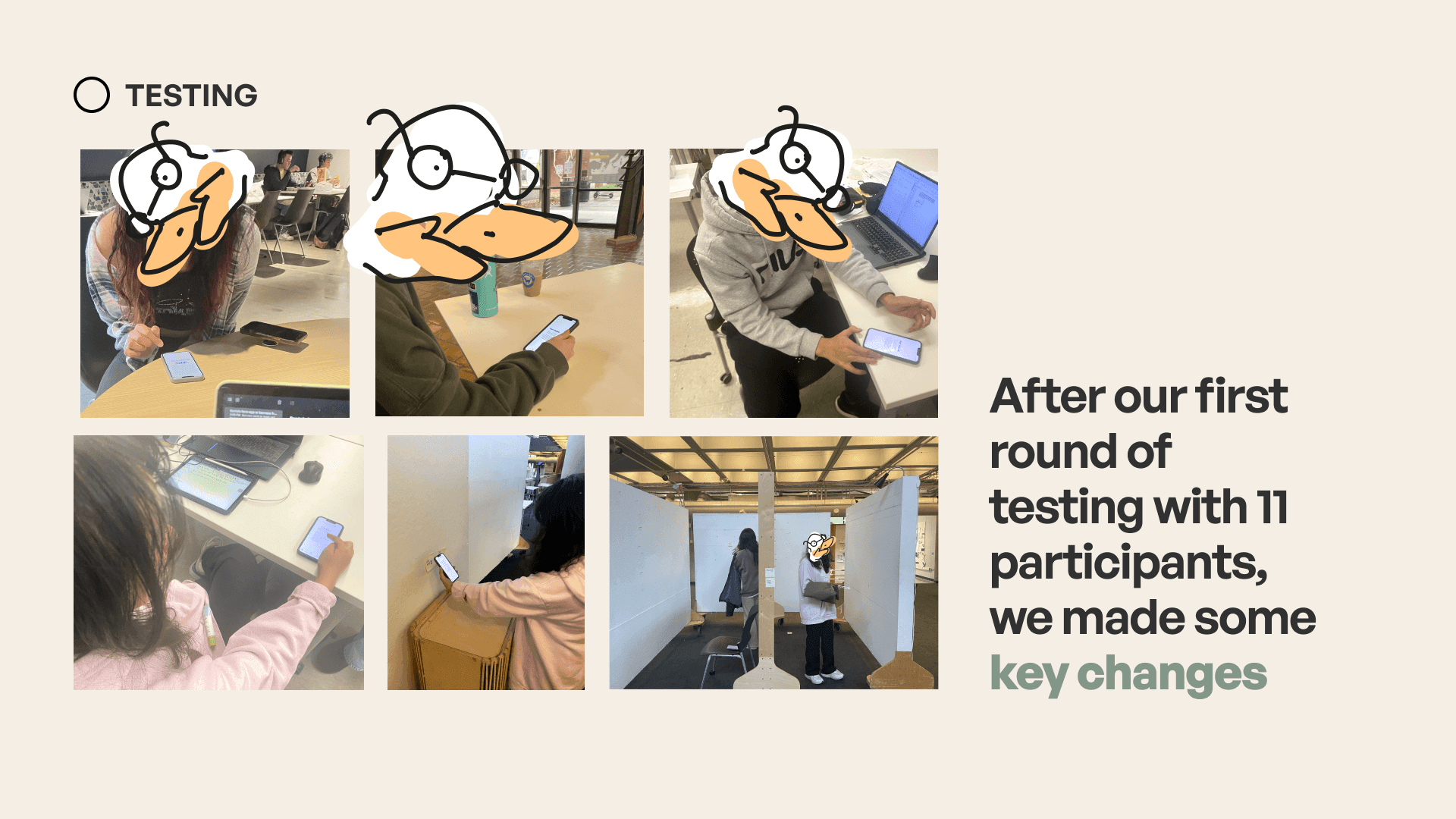
After our first round of testing with 11 participants, we made some key changes.
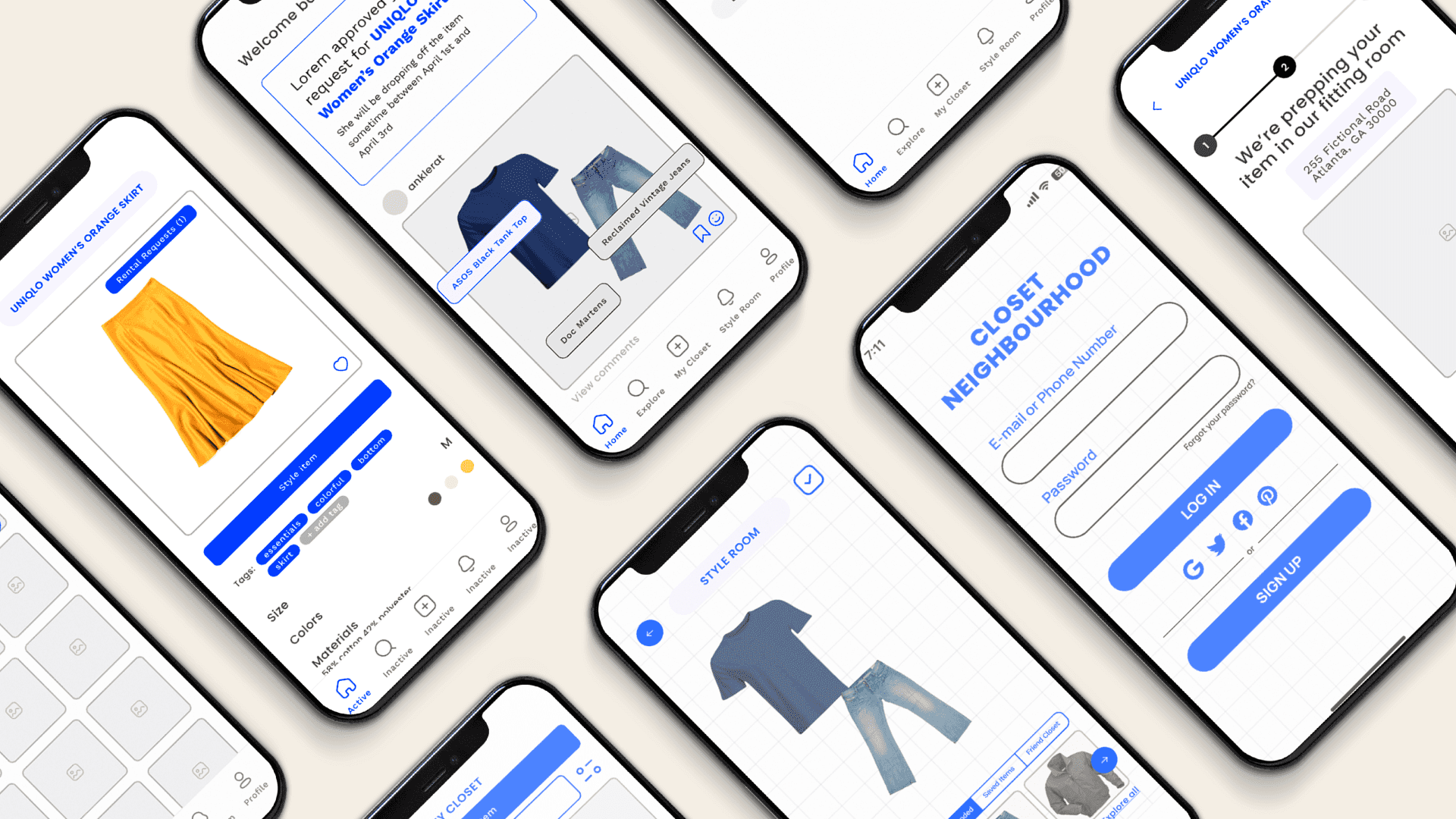
Early prototypes under the working name Closet Neighbourhood validated the core loop (closet, style room, and rental requests) and surfaced that navigation, logging, rental, and pickup needed more work.
The first interactive build focused on logging, styling, and rental status: the bones of the product before brand, points, and the neighborhood pickup network came into focus.
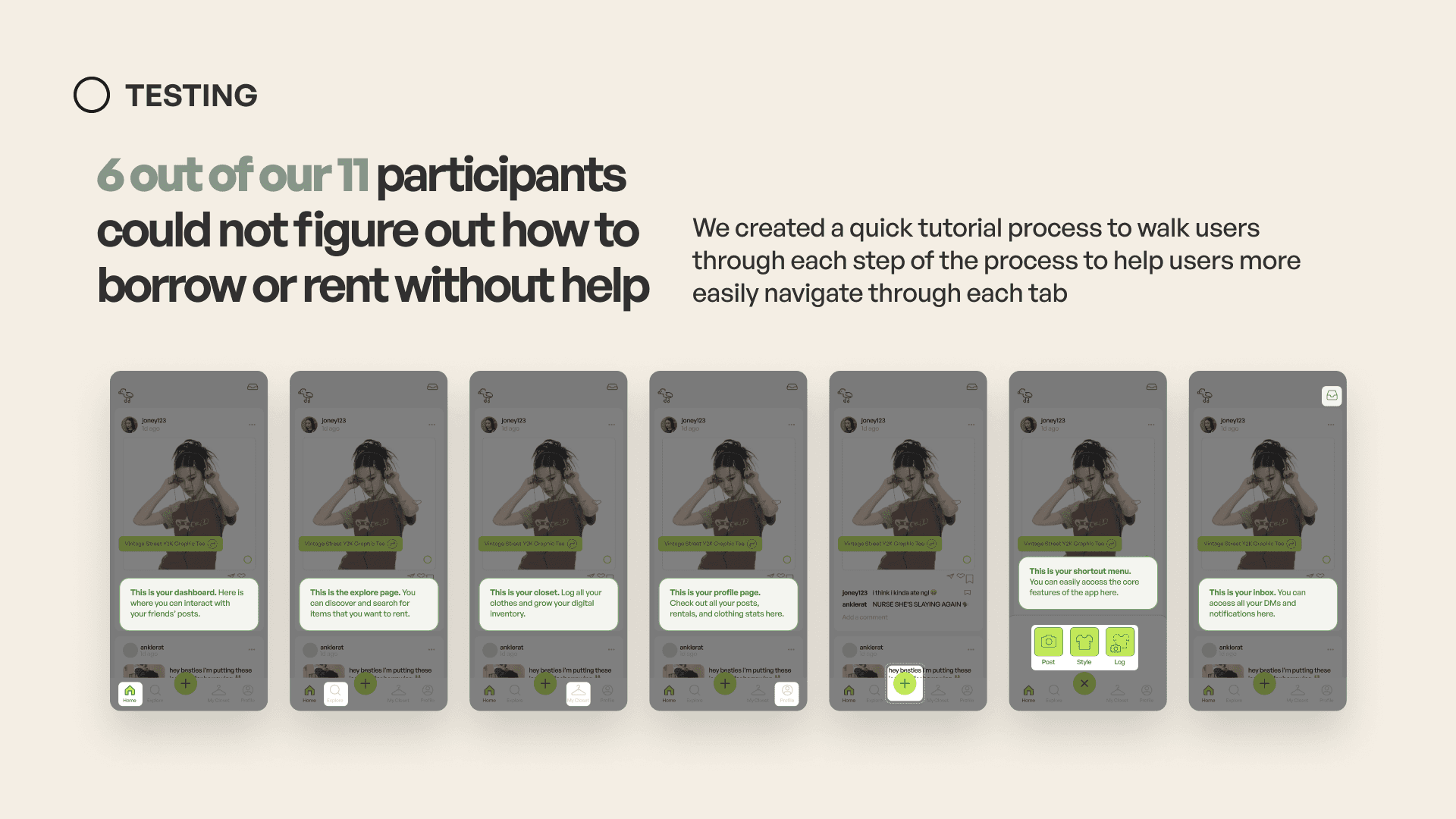
6 out of 11 participants could not figure out how to borrow or rent without help.
We added a short tutorial that walks people through each tab (dashboard, explore, closet, profile, the shortcut menu, and inbox) so the borrow/rent loop is discoverable on first use.
Navigation
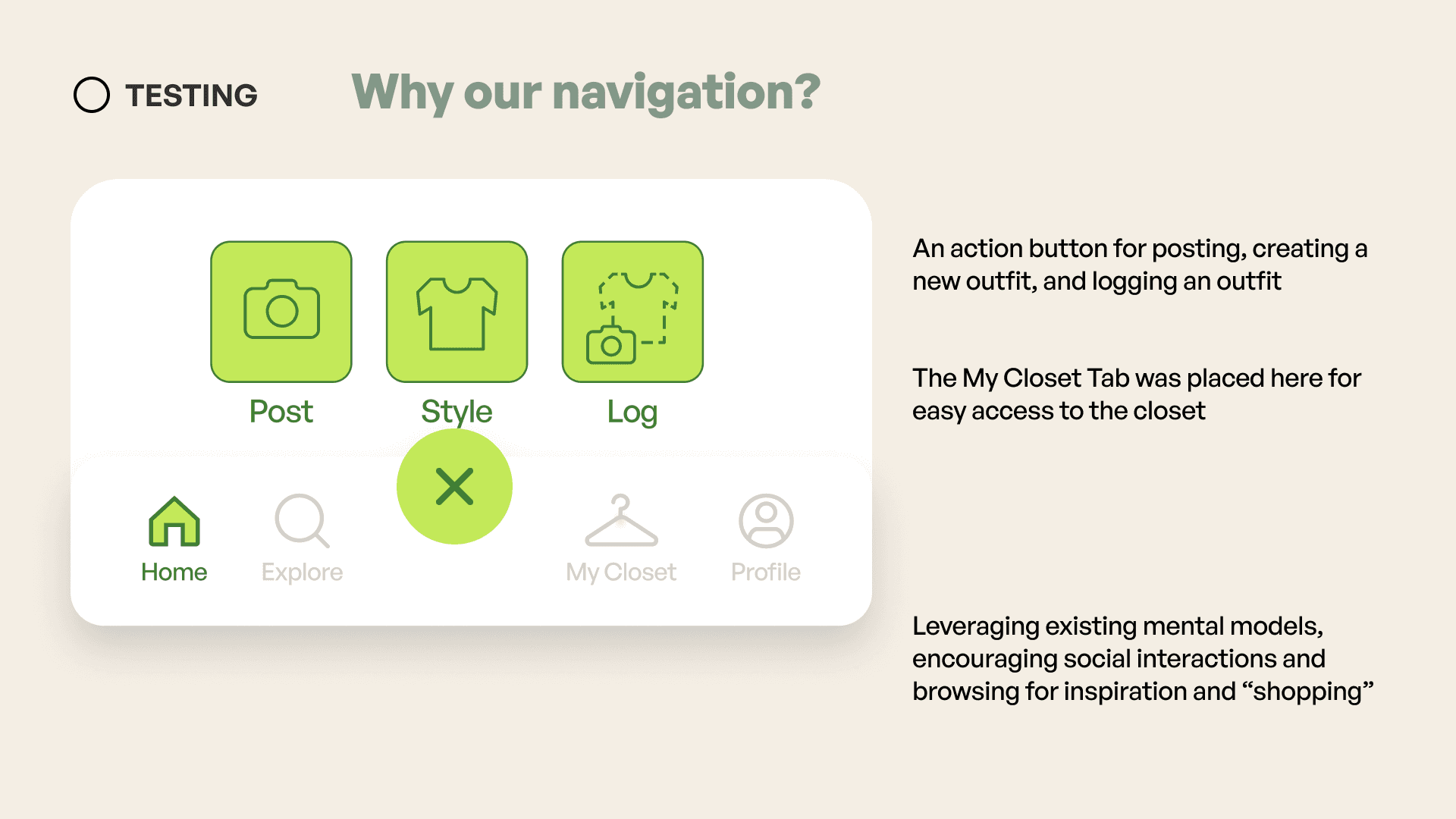
Why our navigation?
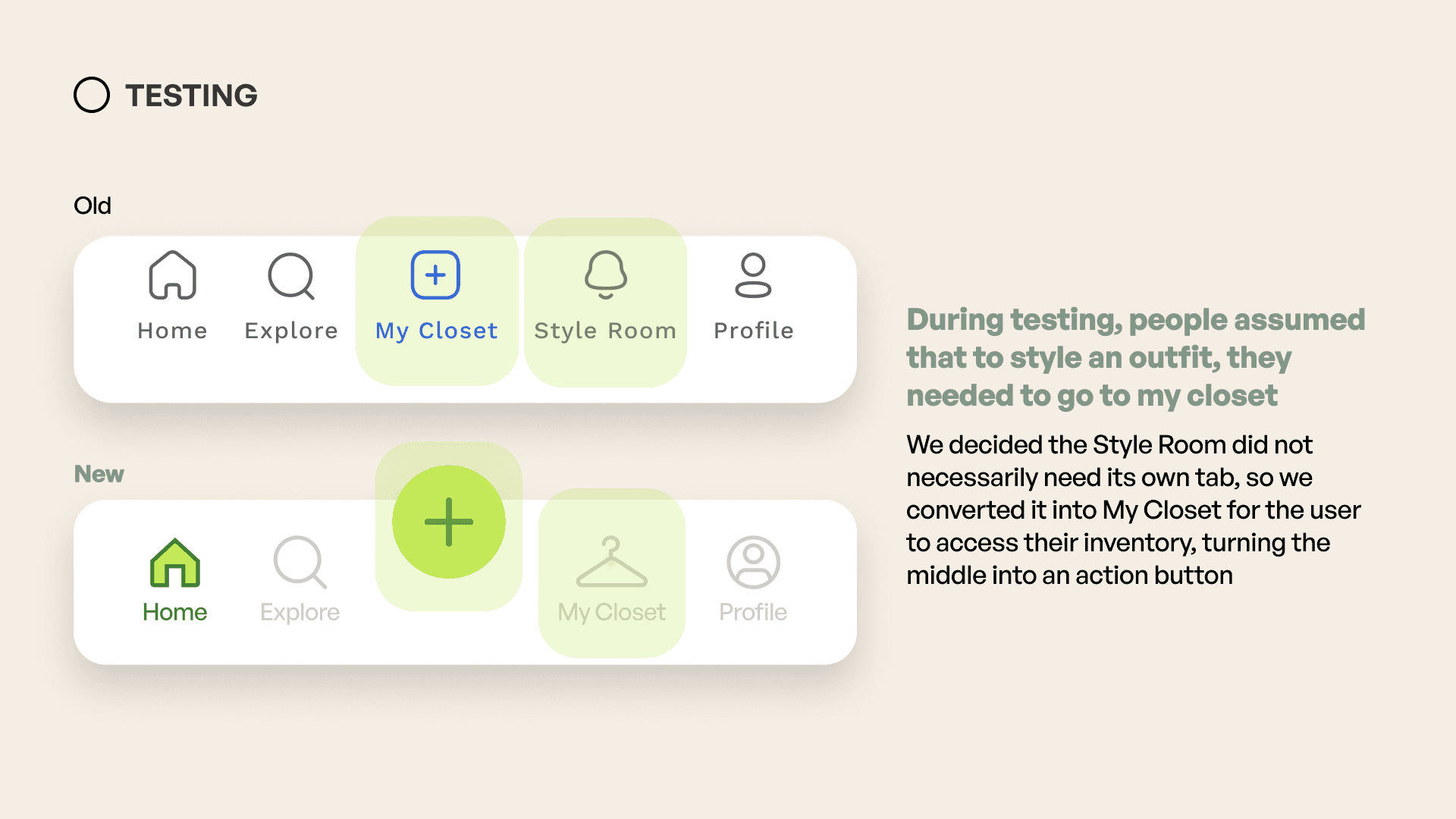
During testing, people assumed styling an outfit meant going to My Closet, so Style Room did not need its own tab.
We converted the center into an action button (post, style, log) and kept My Closet as a dedicated inventory tab, leaning on familiar social + browse mental models for Home, Explore, and Profile.
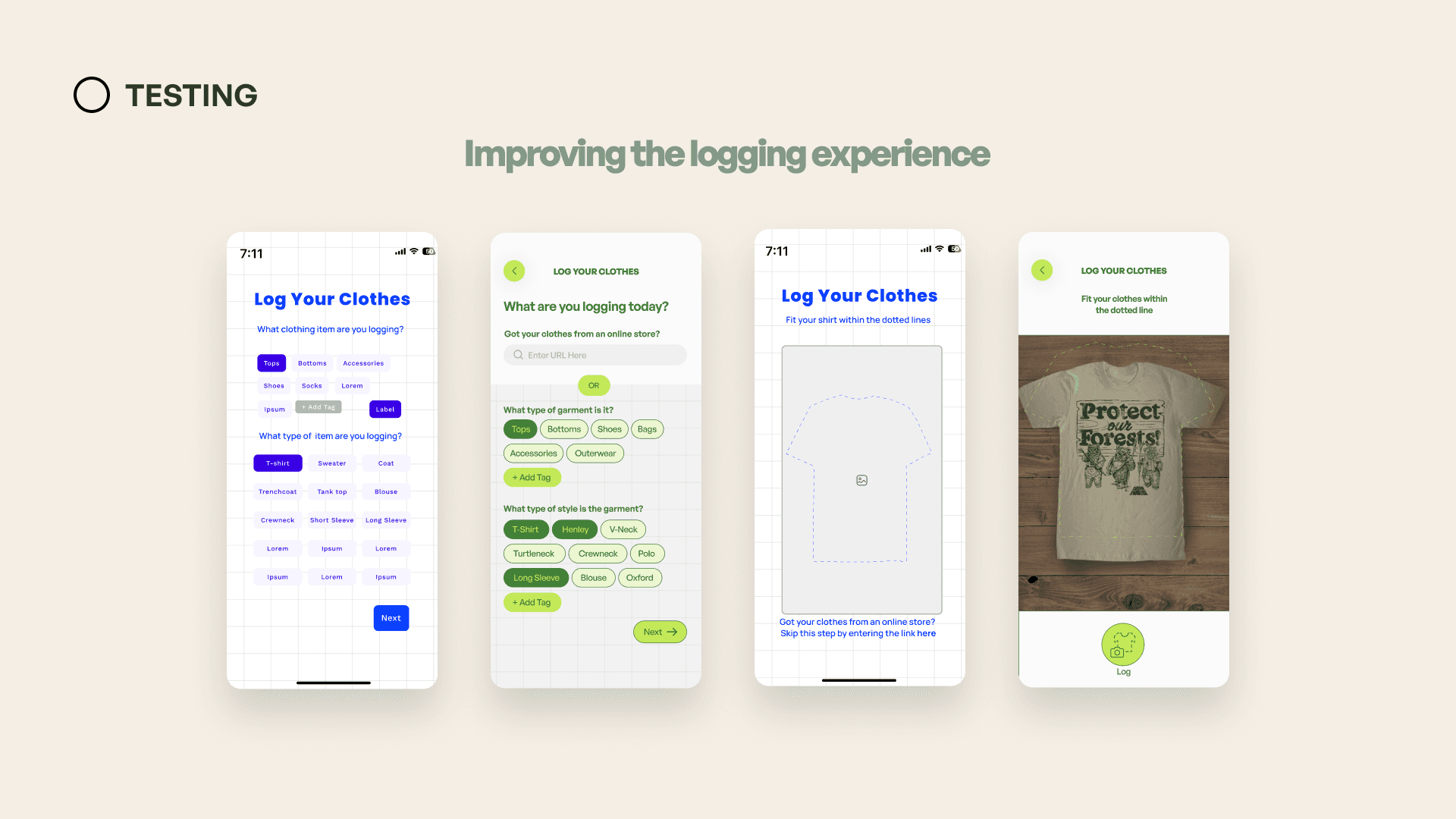
Logging went through a few passes: clearer prompts, URL import as an alternative to camera capture, and a tighter capture step that fits the garment in frame.
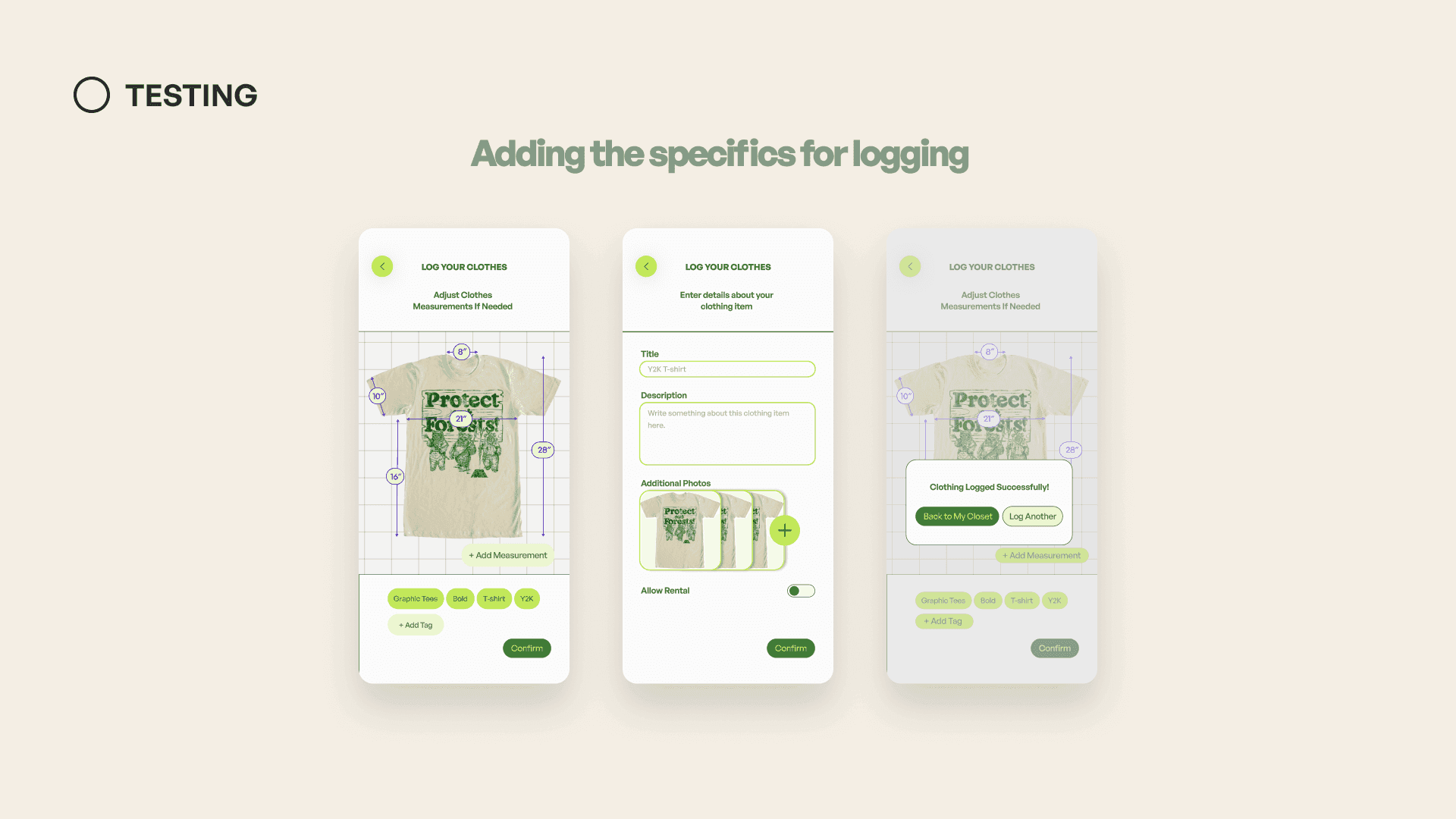
Once the garment is captured, people adjust measurements, add tags, enter details and photos, and toggle whether the item can be rented.
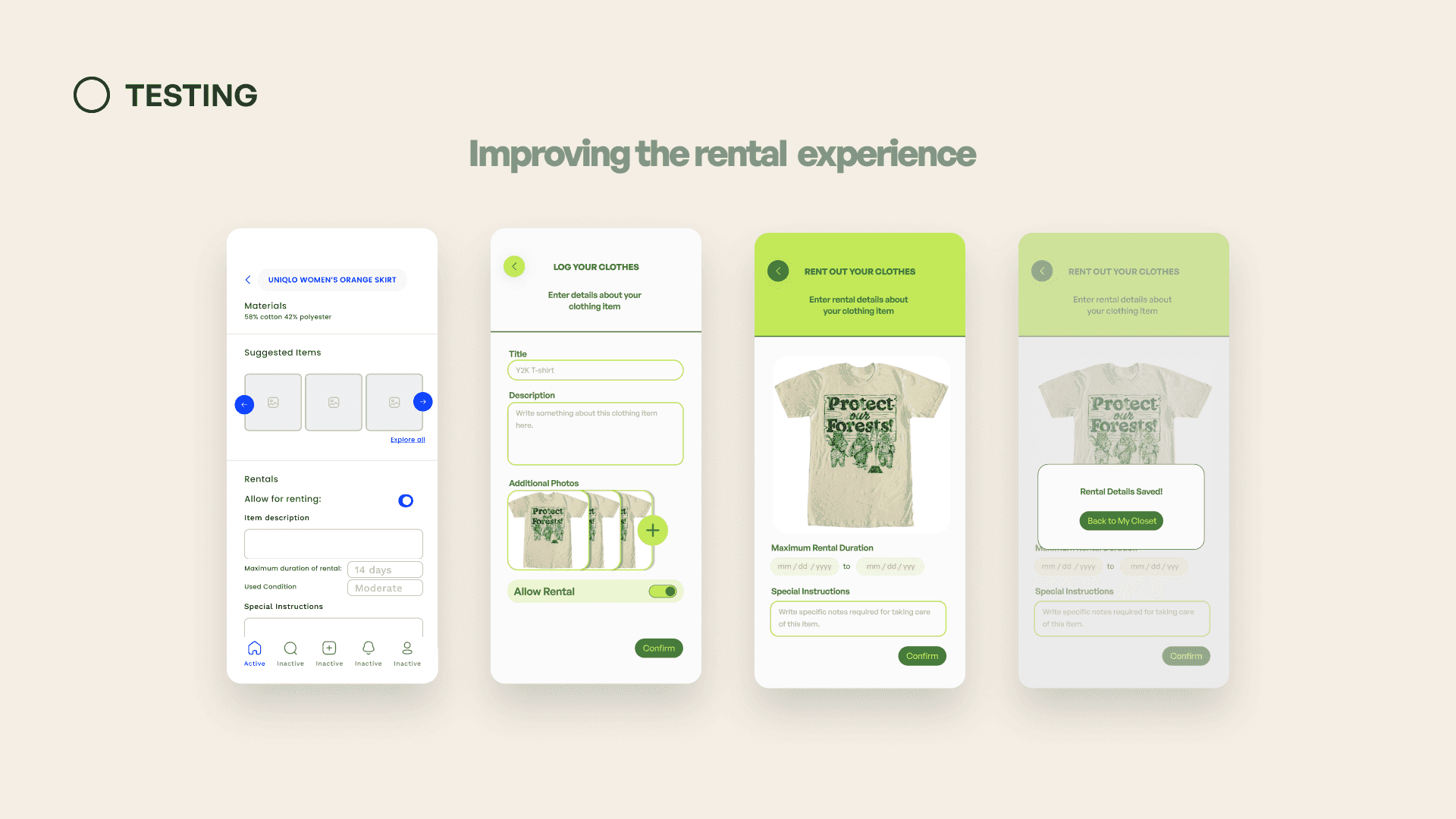
Rental settings moved out of a buried listing form into a dedicated flow (duration, condition, and special instructions) with a confirmation when details are saved.
At first we speculated pod-like fitting rooms would be the best pick-up point, but testers found that uncomfortable and preferred actual lockers, more like an Amazon locker handoff than a private booth.
Impact
MISFIT is designed to land at three scales: the individual, the community, and the environment.
Impact on the individual
Freedom to experiment and express with style and variety, without needing to commit financially, empowers Gen Z to cultivate more mindful and informed purchasing habits.
Impact on the community
Sharing clothes and styling tips promotes interaction and fosters a sense of community. That social layer also creates accountability among users.
Impact on the environment
By disrupting the way we interact with and view clothing, we can help reduce waste and build a future that is both more fashionable and more sustainable.