NG
Some of my work from NoGood.
Overview
Product design work from my time at NoGood.
Selected projects across internal product, web, and client work.
Overview
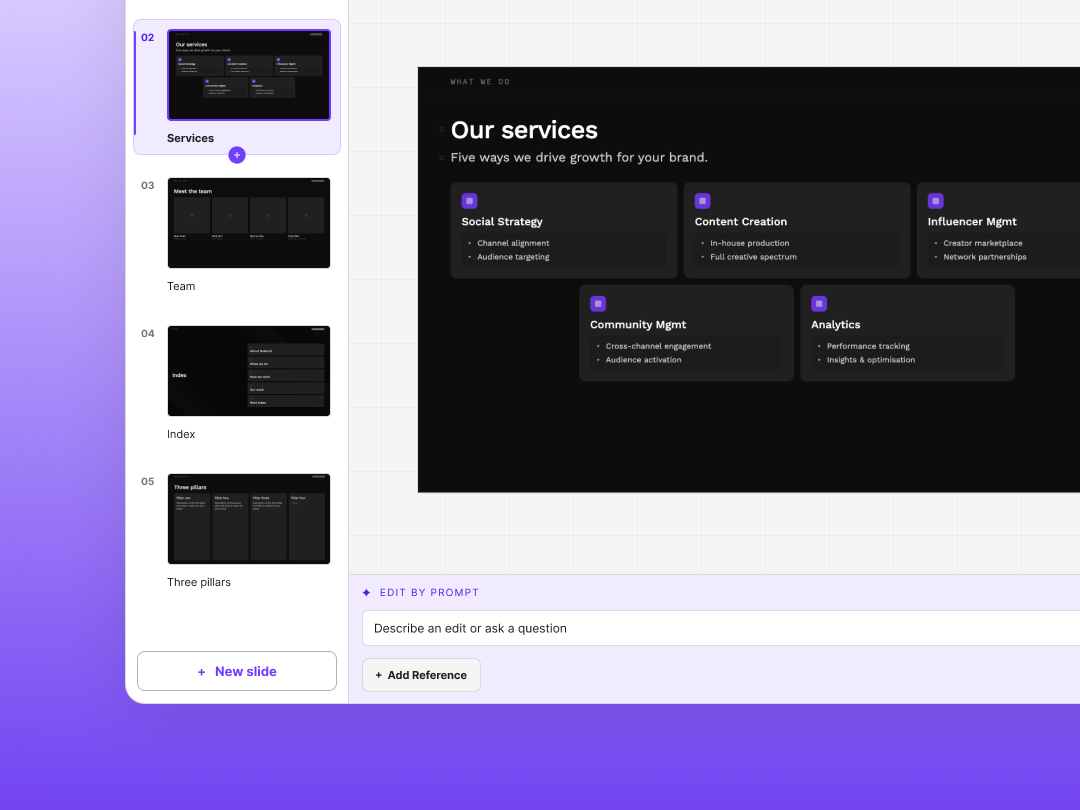
An AI-native slide builder where every slide is automatically on-brand and each result enhances future outcomes.
I designed and built NoGood's internal presentation platform end-to-end: product strategy, UX, interaction design, and the production code. It turns a brief into a structured, editable deck through 58 brand-locked templates, three creation workflows, and AI assistance that is validated, monitored, and improved through a self-iterating product loop.
Stack: Next.js, React, TypeScript, Supabase, Anthropic API. Built with Claude Code and Cursor.
60%
less time in creating and designing decks
58+
brand-locked templates governed through lifecycle states and a live QA pipeline
4
AI-native features
The Challenge
How do we empower teammates to produce on-brand decks efficiently, while still having the freedom to make precise edits?
Traditional presentation tools left brand consistency dependent on each user’s design judgment. Even with documented guidelines, creating a polished deck often required design expertise or direct support from a designer. The opportunity was to embed the design system into the product, making on-brand decisions the default.
User Research
Before designing the product, I conducted informal needfinding with strategists, account team members, and designers who regularly create decks. Three findings shaped the direction of the product.
Insight 1
The master template was not functioning as a reliable source of truth.
It required frequent maintenance and became inconsistent as teams created their own versions. Over time, this resulted in decks using outdated or improvised brand styles. This highlighted the need to manage the design system through the product itself rather than relying solely on documentation and templates.
Insight 2
The workflow began before users opened a presentation tool.
Most teammates started by developing an outline in an LLM or Google Docs, then manually translating that content into slides. As a result, the deck wizard was designed around an outline-first workflow that aligned with users’ existing process.
Insight 3
Inconsistency was primarily a defaults problem.
Teammates weren’t intentionally ignoring the brand system; the on-brand workflow simply requires more effort. This reframed the design challenge around making brand-aligned decisions the easiest and most natural path.
Design Goals
Embed the brand into the product.
Typography, spacing, and layout standards were applied automatically rather than left for users to interpret.
Use AI to accelerate, not restrict.
AI reduced blank-page work, while keeping every output fully editable.
Support different starting points.
A rough idea, a completed outline, and an existing deck each required a workflow suited to the user’s intent.
Create a system that improves over time.
Failures, feedback, and unsupported requests were captured as structured inputs for future product improvements.
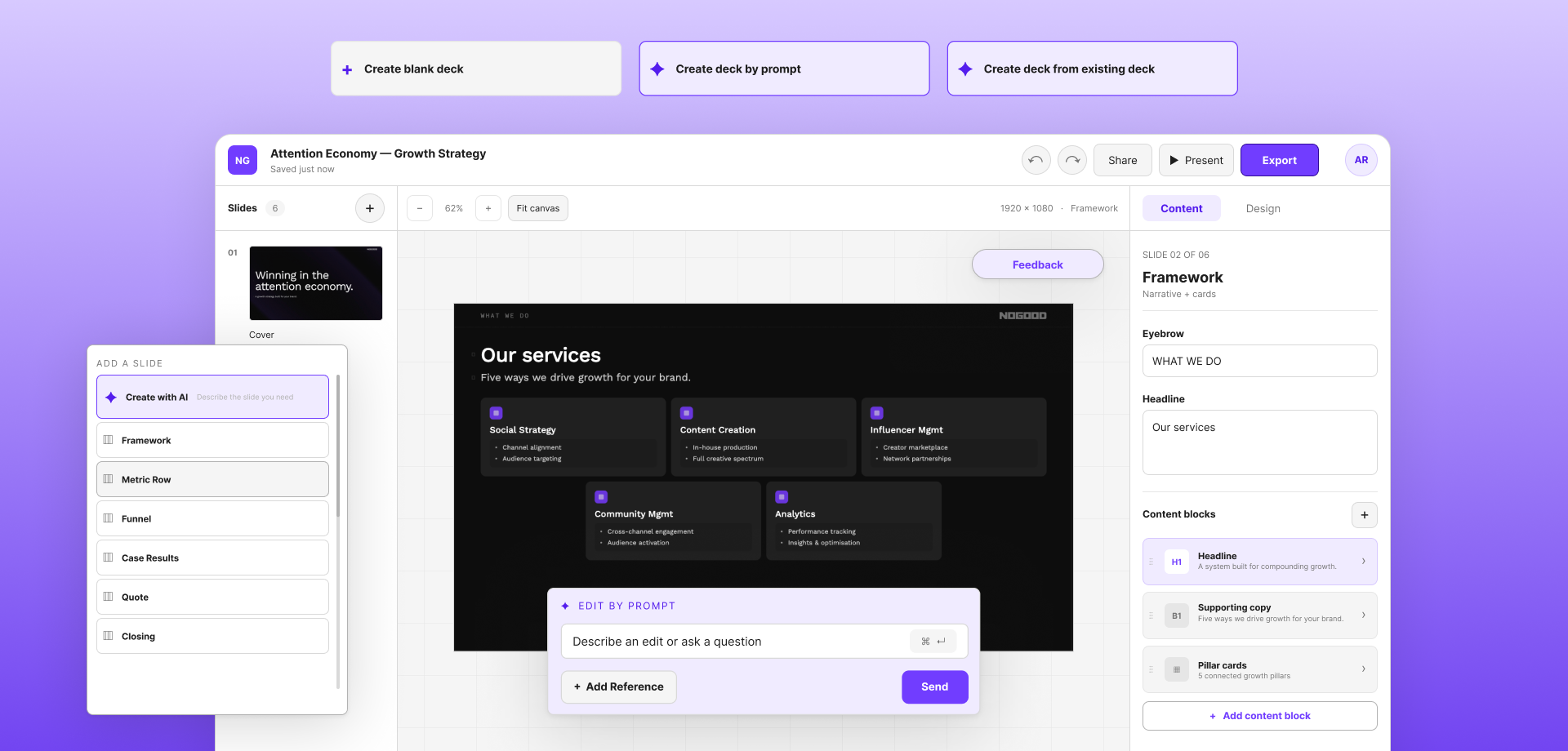
Features
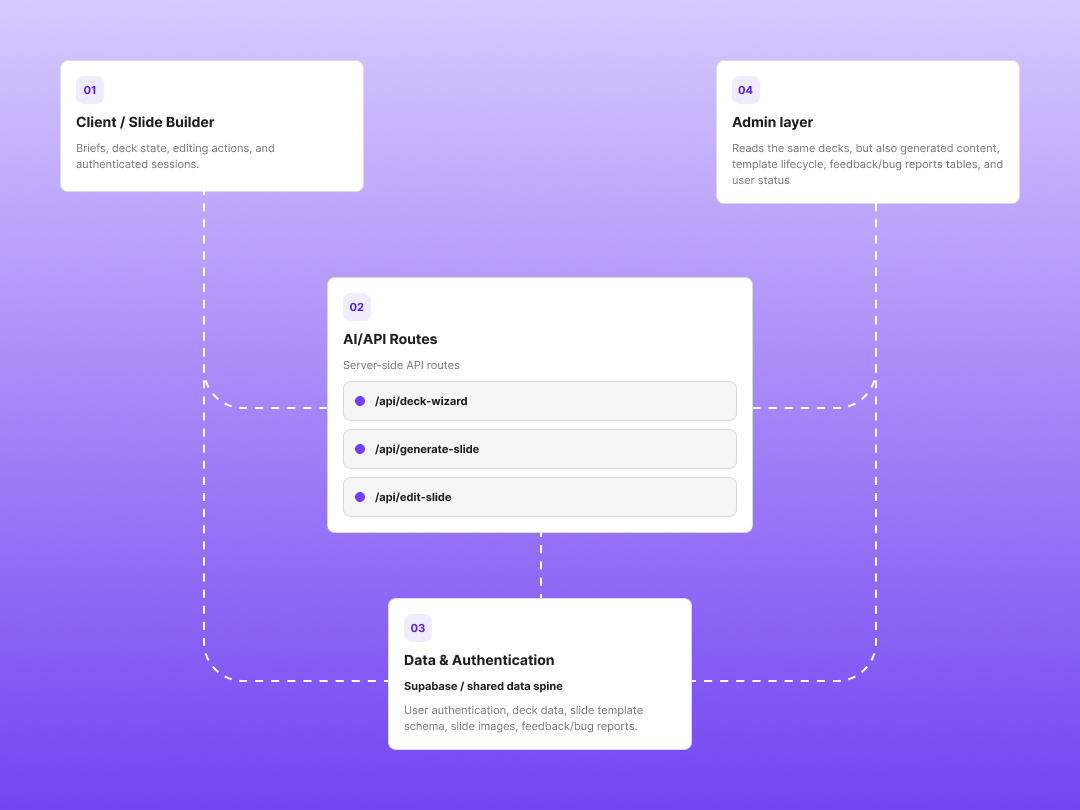
The product is a responsive web application with four connected layers.
Client: Dashboard, builder, template library, and slide-level AI assistant. Teammates control content, while the system governs layout and styling.
AI: Separate workflows handle deck planning, slide generation, and slide editing, each with its own prompt and structured output contract.
Data and authentication: Supabase manages access, deck persistence, screenshots, usage logs, and QA data.
Admin: Internal tools support template governance, feedback review, bug tracking, and deployment.
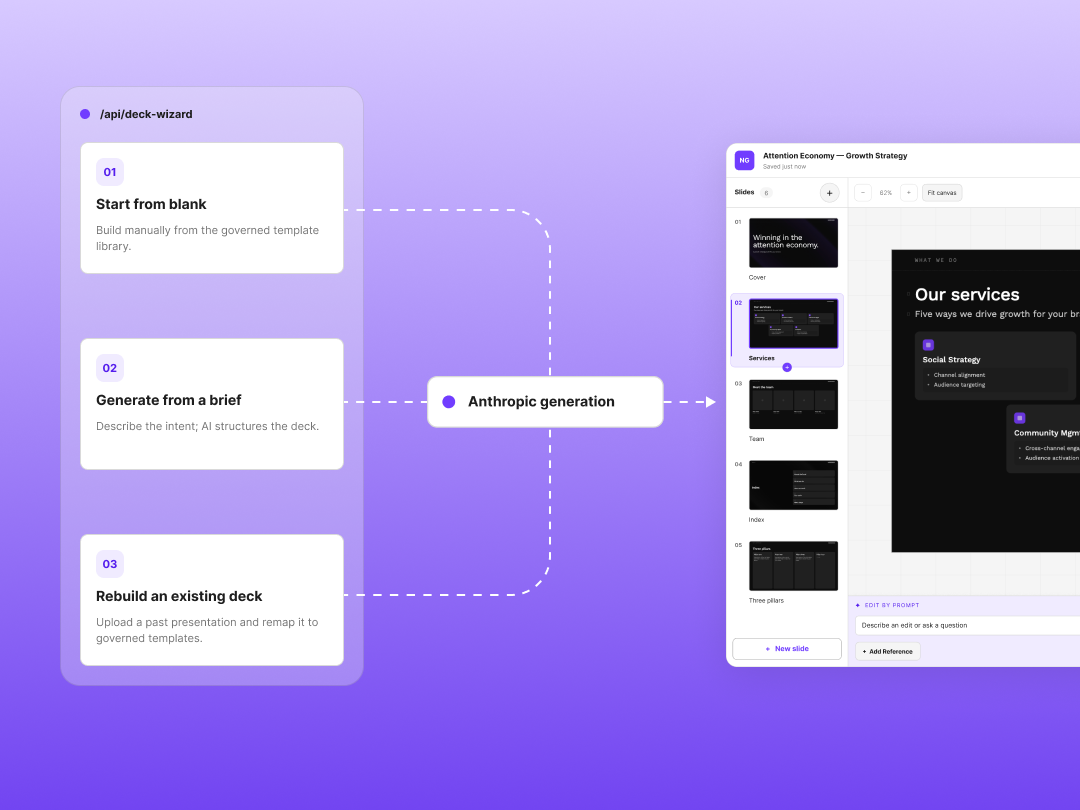
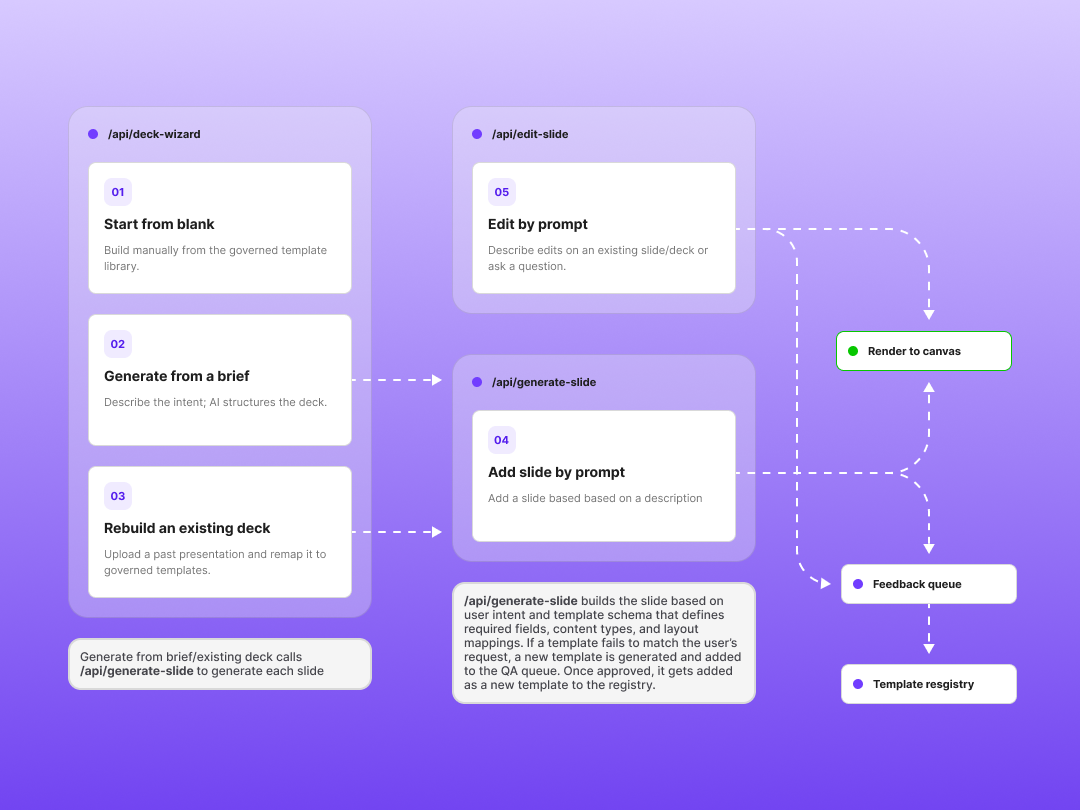
Three ways in, one governed system.
Start from blank: Build manually from the template library.
Generate from a brief: Describe the deck; the system does the structuring.
Generate from an existing deck: Upload a past presentation; the system rebuilds it in governed templates.
All three converge into the same builder, the same templates, and the same QA loop.
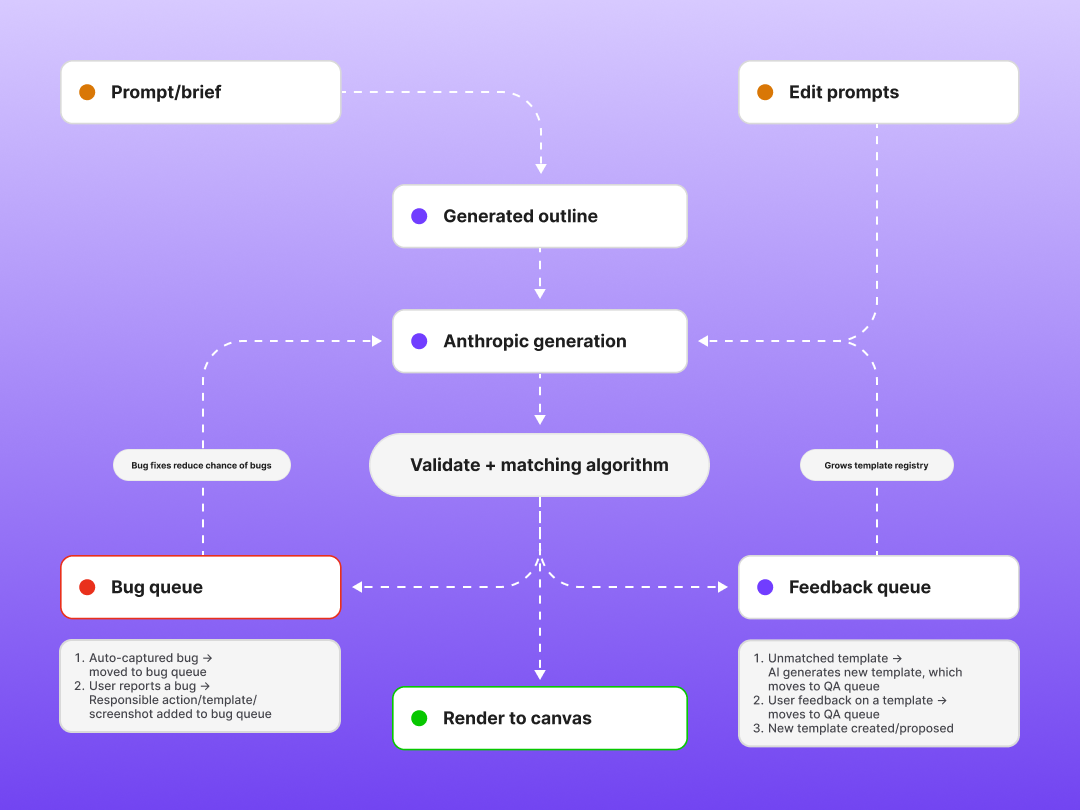
Prompt workflow.
A single prompt rarely contains enough information to produce a useful deck, so I designed generation as a three-stage workflow.
Discovery: The wizard asks targeted questions to understand the audience, purpose, and available content.
Outline review: Before generating slides, it proposes a structure showing each slide’s title, intent, and template. Teammates can edit or redirect the outline before committing to generation.
Slide generation: Each approved slide is generated independently against its template schema, then assembled into an editable deck.
The wizard plans the narrative; slide generation handles the content. Separating these responsibilities makes the output easier to control and validate.
Editing and AI Reliability.
The builder combines direct manipulation with a slide-level AI assistant. Teammates can edit content manually or request changes such as tightening copy, restructuring a slide, or switching templates.
Reliable output also depends on structure. Every template includes a schema defining required fields, content types, and layout mappings. Inputs and outputs are validated before rendering, and failures are automatically logged with the prompt, template, deck, and environment attached.
When a request does not match an existing template, the system can generate a validated candidate and route it into the template QA queue. This allows real usage to inform the roadmap without placing unreviewed layouts into production.
Design System and Template Governance.
The product uses two independent design systems: one for slide output and one for the application interface.
The slide system governs typography, spacing, hierarchy, layout, and color through template-level rendering rules. Greyscale forms the foundation of each slide, brand colors are used selectively for emphasis, and indicator colors communicate state separately from brand identity.
The product interface uses its own token system, preventing application-level design decisions from affecting deck output.
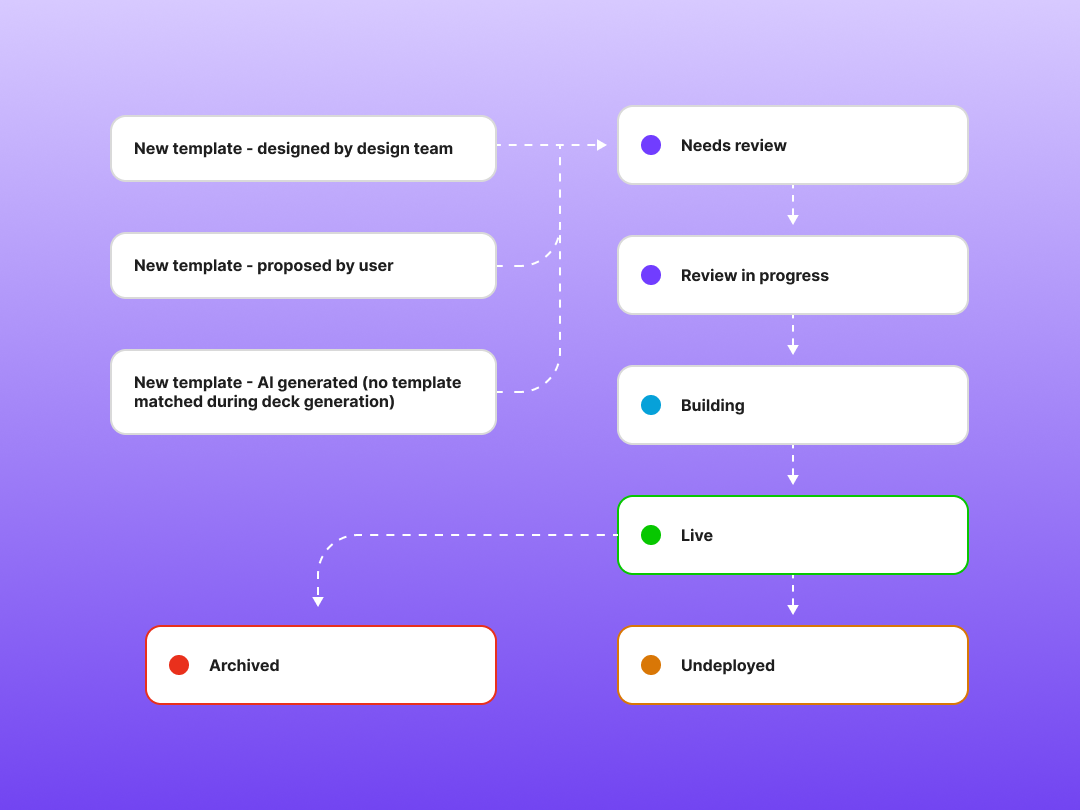
Templates are managed through defined lifecycle states:
Needs review → In progress → Building → Live
Templates can also be marked Undeployed or Archived. Version history, schema definitions, linked QA issues, and previews are managed through the admin interface.
Finished decks export directly to Google Slides, allowing teammates to make final refinements and store presentations within their existing workflow.
The Feedback Loop.
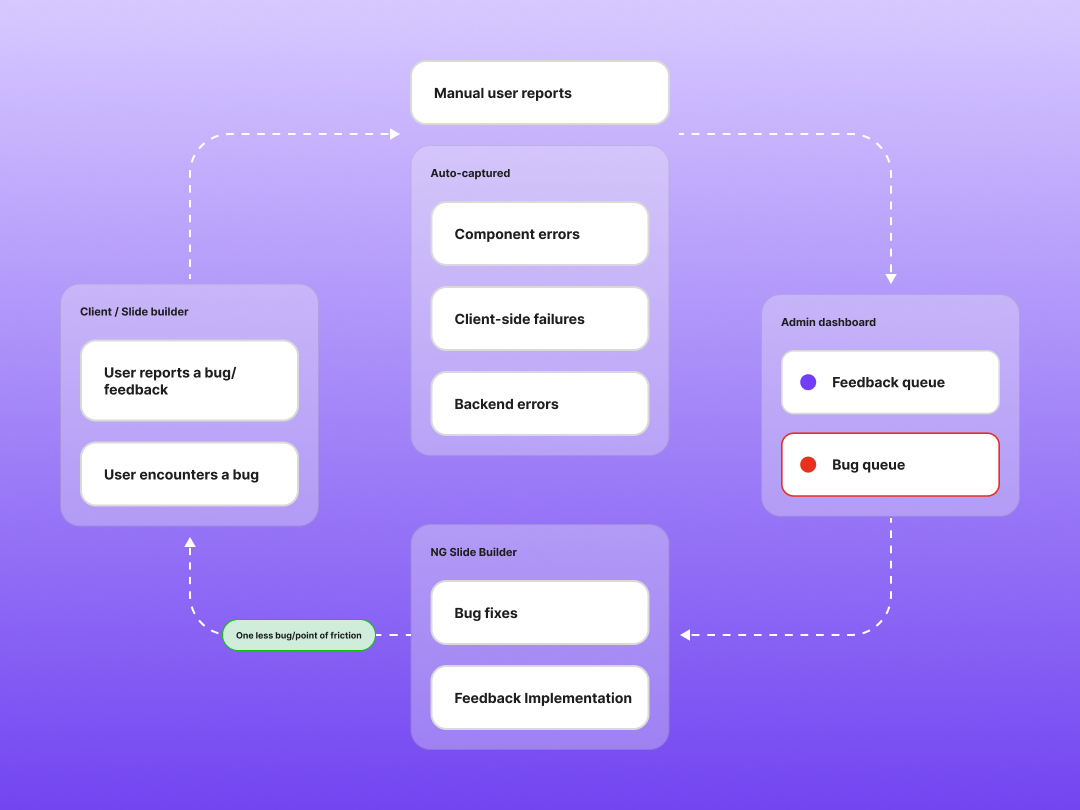
Quality assurance is built into the product. User reports, component errors, client-side failures, and backend errors are captured automatically and routed into the admin system with relevant context attached.
Bug reports are fingerprinted and deduplicated, so repeated failures appear as one issue with an occurrence count.
Usage logs also show which workflows are being used, allowing future decisions to be based on observed behavior rather than assumptions.
Outcome and Learnings
The product launched with authentication, deck generation, editing, four AI workflows, template governance, admin tooling, automated error capture, and Google Slides export. Deck creation time decreased by approximately 60%, while built-in brand rules enabled teammates to produce consistent presentations without ongoing design support.
Building the product reinforced four principles: constraints can improve usability, AI quality depends on schemas and validation rather than prompting alone, QA is most effective when embedded into the system, and owning both design and implementation leads to clearer, more grounded product decisions.
NG Website Refresh
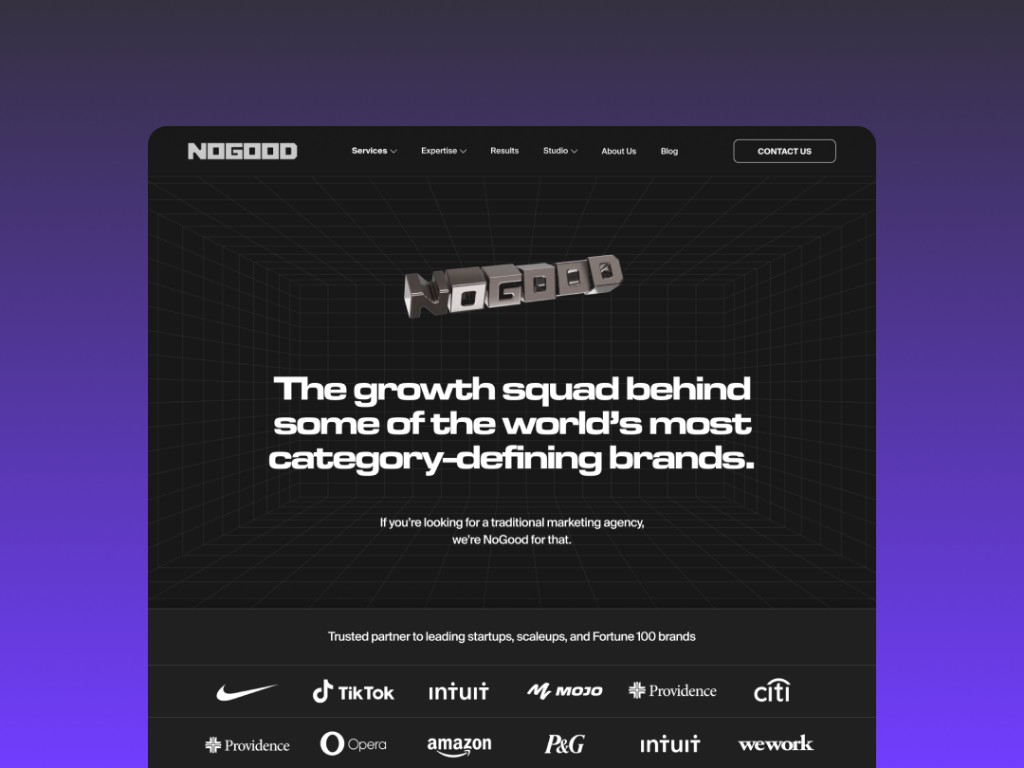
I led the brand refresh and full redesign of nogood.io, rebuilding the design system from tokens up and redesigning every page on it.
The existing file was built with frames and groups rather than auto layout and components, which meant no reuse and drifting inconsistency across pages. The rebuild made primitives, semantic tokens, and components the source of truth, so brand-level changes propagate rather than get reapplied by hand. I directed two designers through the design phase.
Build ran through an external development agency. I stayed on through that quarter running design QA, reviewing every page against spec before launch.
Goodie Rebrand
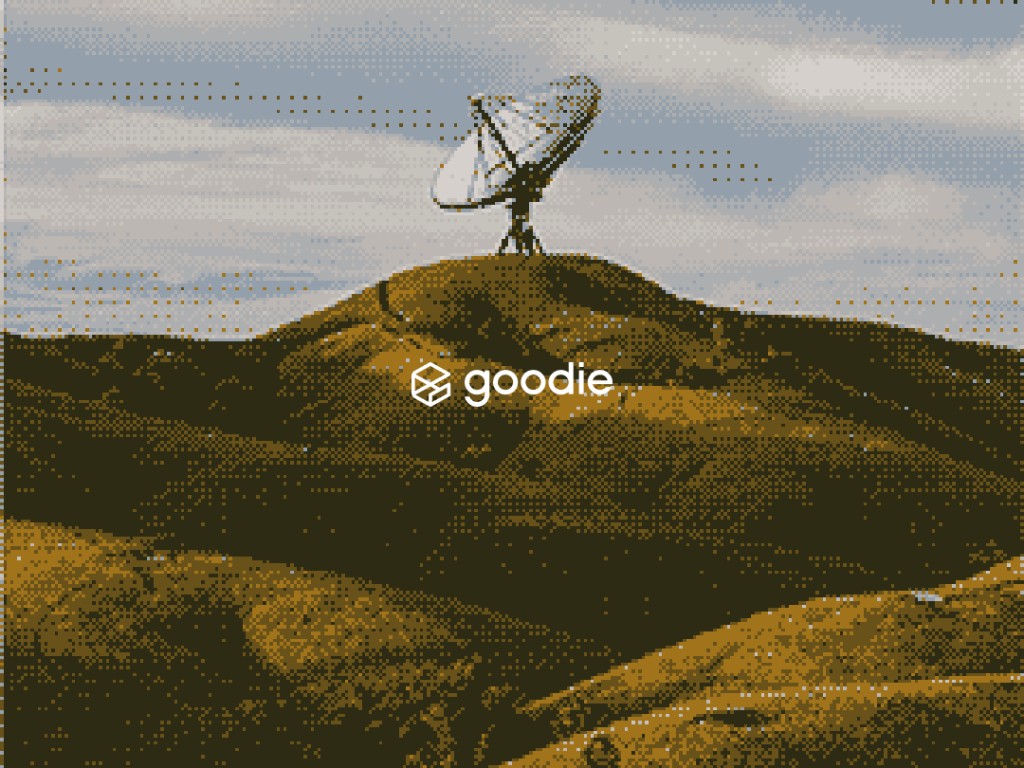
I led brand direction for Goodie, NoGood's AI product. Starting from initial agency guidelines, I expanded them into a full system: image treatments, typography standards, and brand guidelines built to hold up across product and marketing.
I designed the Goodie logo working with the CEO and leadership team. It was selected over proposals from external agencies.
Overview
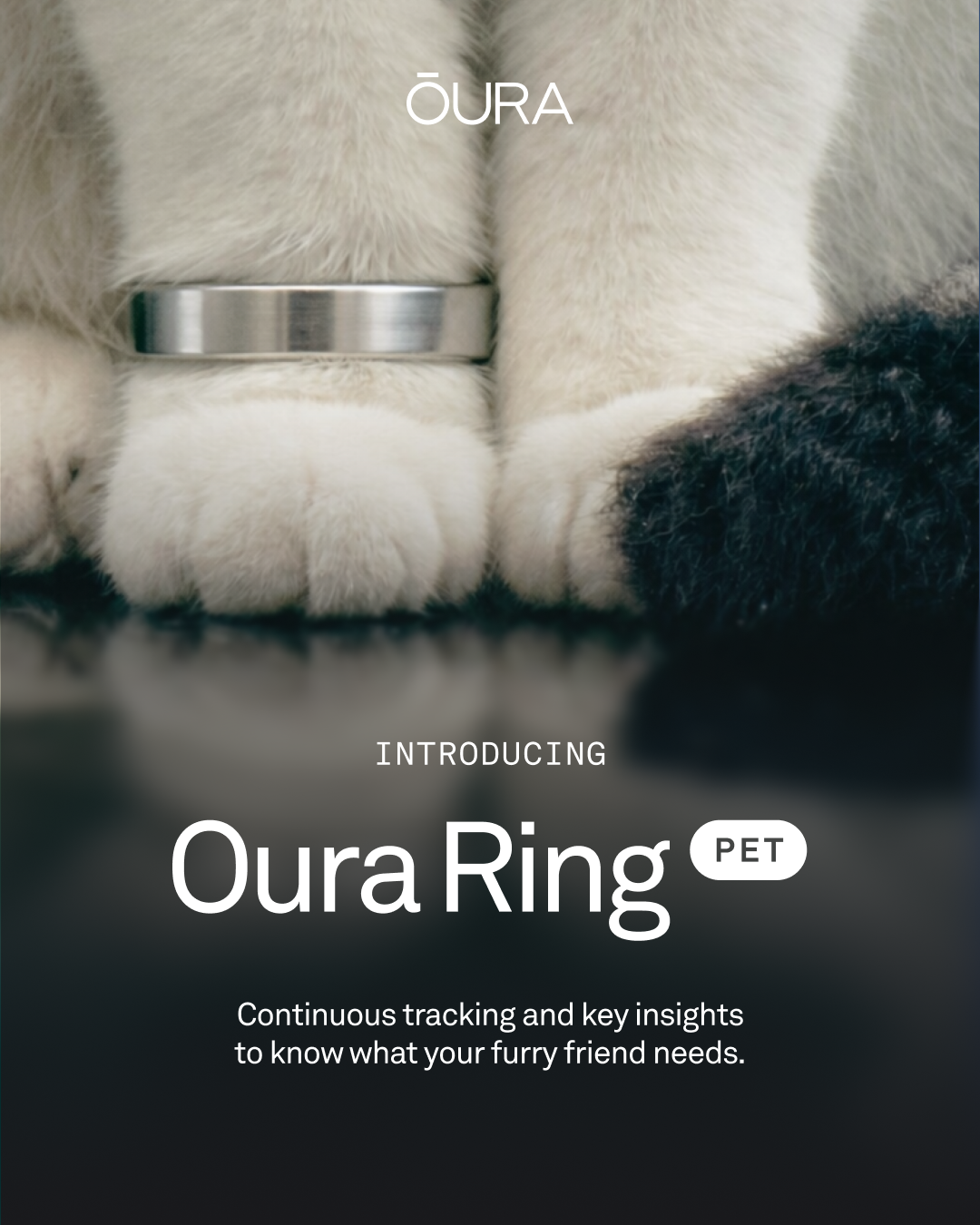
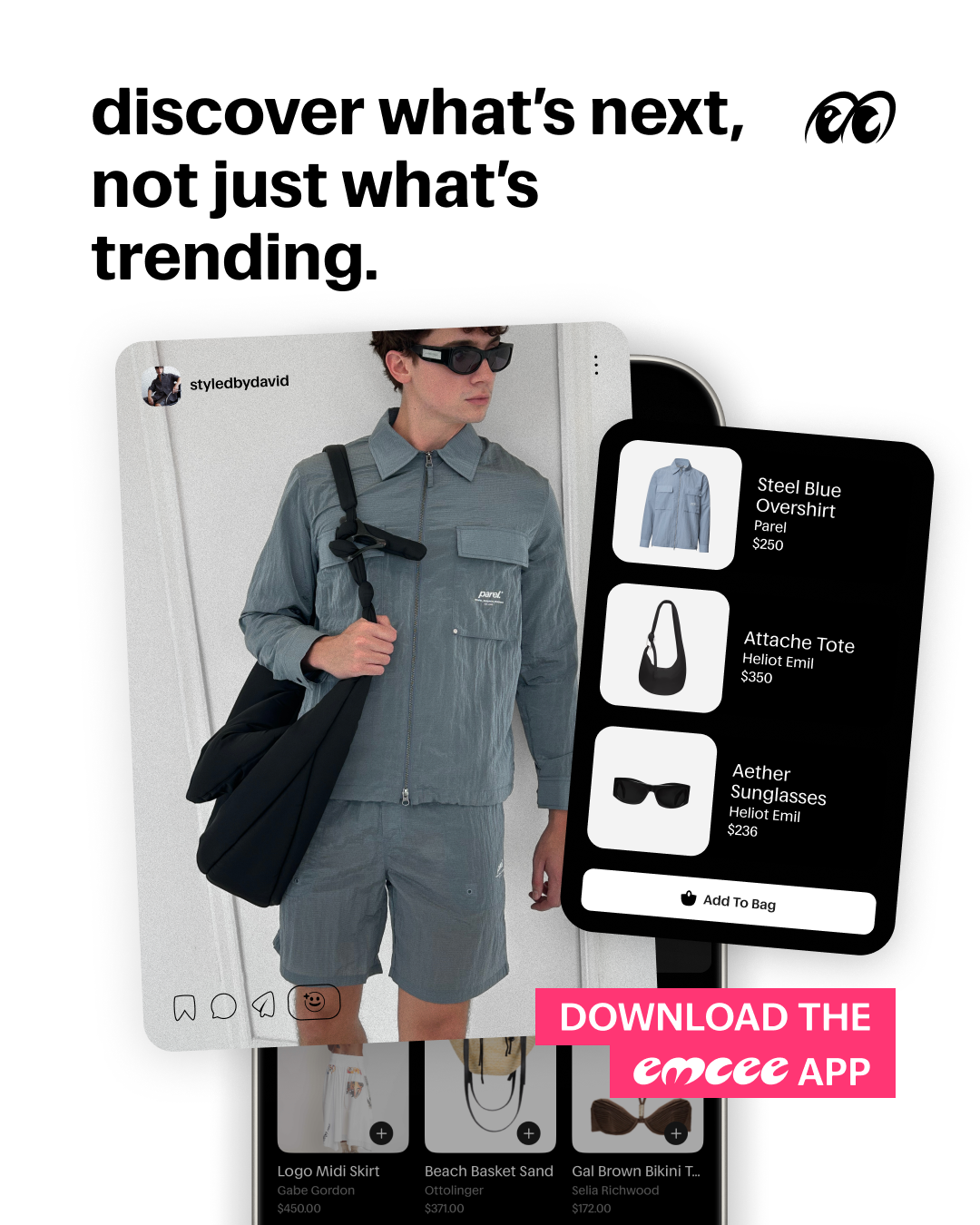
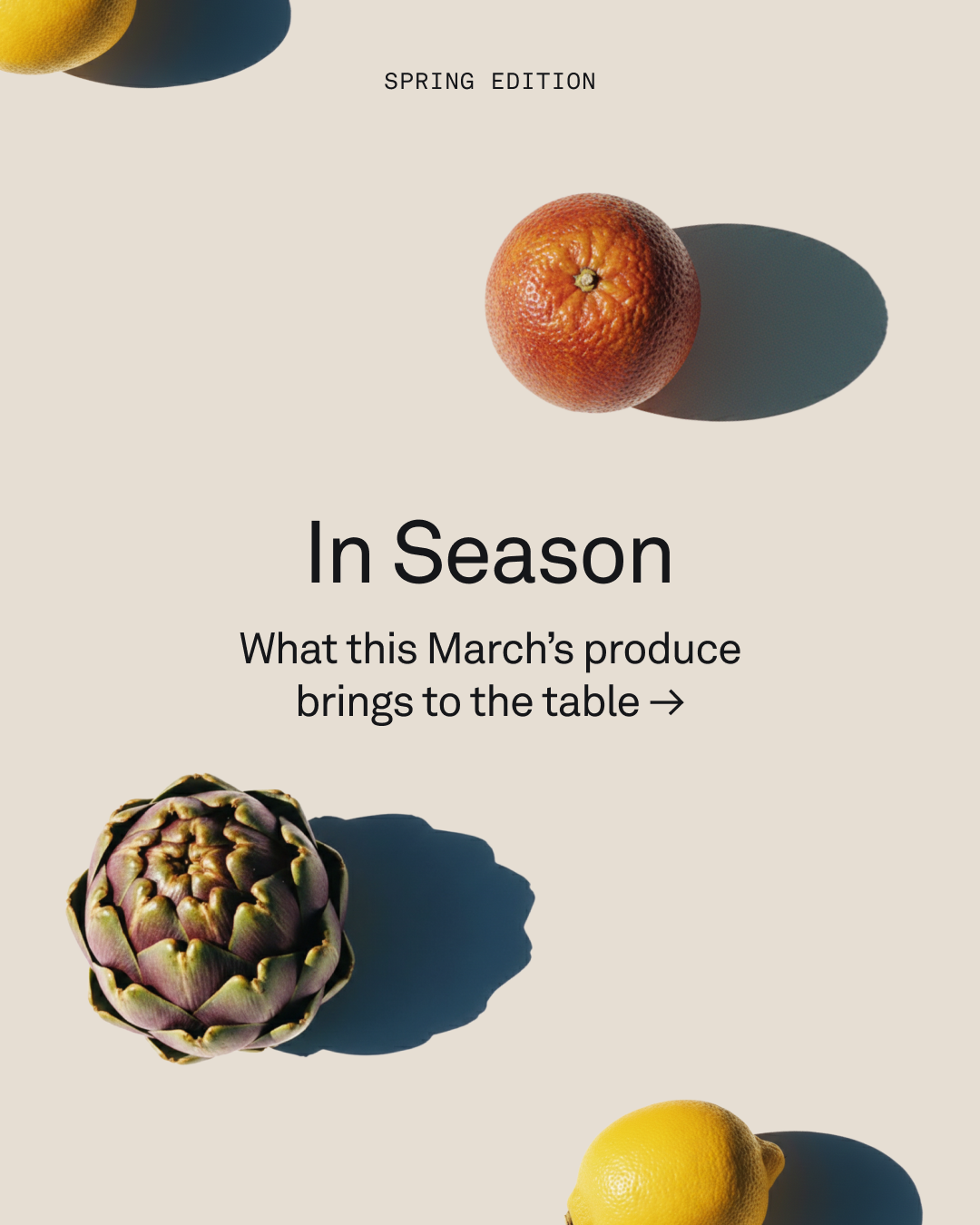
Design across enterprise accounts spanning brand guidelines, product-led content, and paid and organic social. Working inside someone else's system means designing for a format that punishes anything reading as an ad, while keeping every piece unmistakably theirs. Campaigns contributed to 15–30% improvements in click-through and engagement. Below is a selection of that work.